Guide
Inbound Jobs View
The Inbound Sync Jobs window is the execution history and live progress view for Apple Business API loading into the database. It shows what ran, in what order, and what happened for each credential within each outbound run.
Sync Types
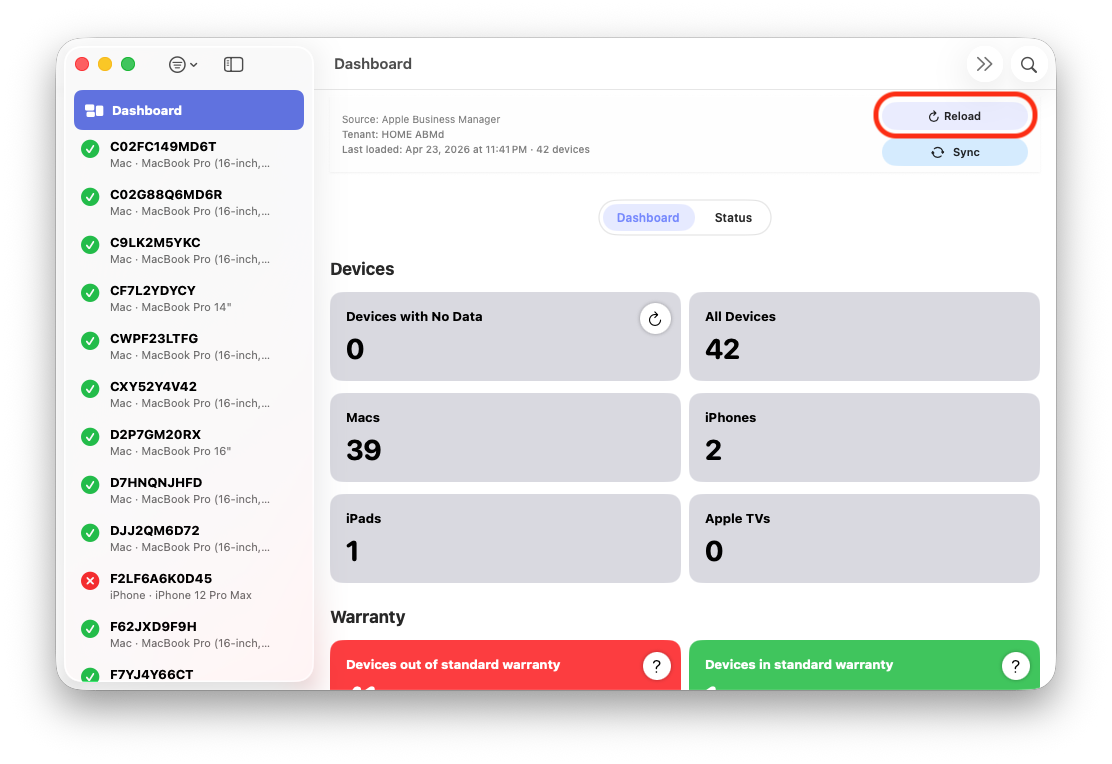
Full reload view showing fleet-wide Apple Business API processing and aggregate progress.
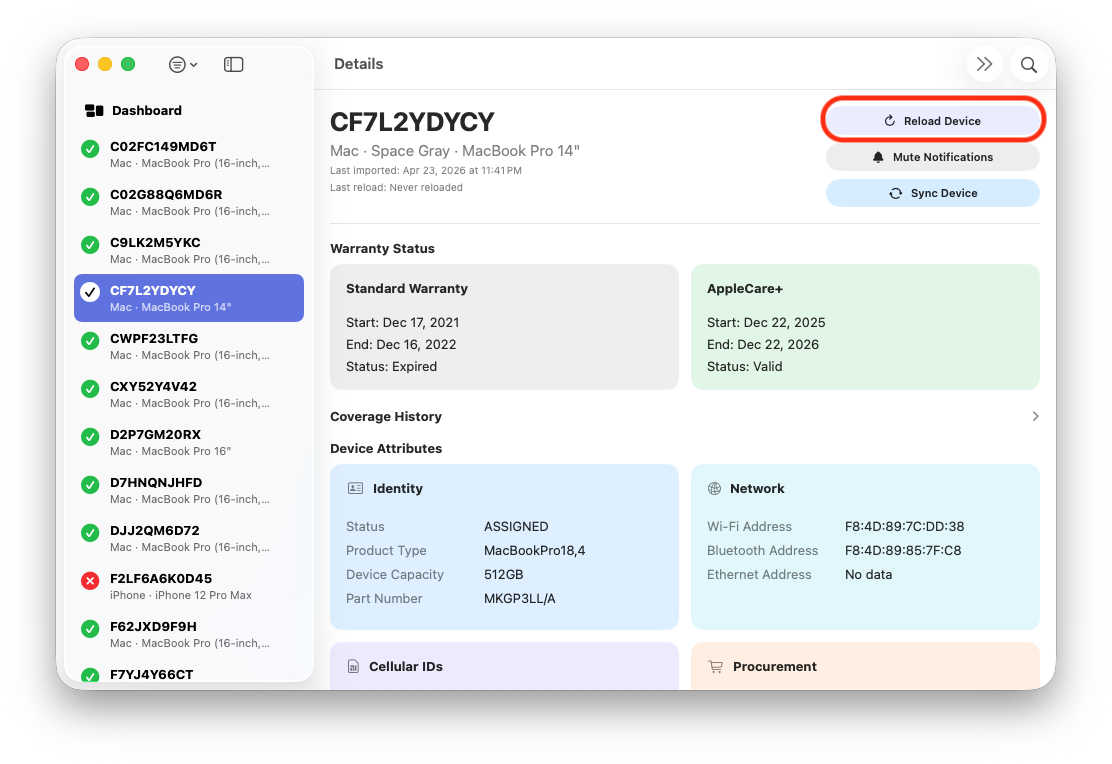
Single reload view focused on one serial for targeted validation and low-risk testing.
Full
Full processes all source records in scope for the run. It is used when validating new mappings at scale, or when you want complete reconciliation against the destination system.
Single
Single processes one serial-targeted record. This is the safest way to validate contract, formatter, and mapping behavior before running a full write operation.
| Type | Best Use | Risk Level | Expected UI Count |
|---|---|---|---|
| Full | Fleet-wide Apple Business API reconciliation and production runs | Higher | X of total fleet in scope |
| Single | Validation, troubleshooting, and targeted correction | Lower | 1 of 1 |
Progress and Status
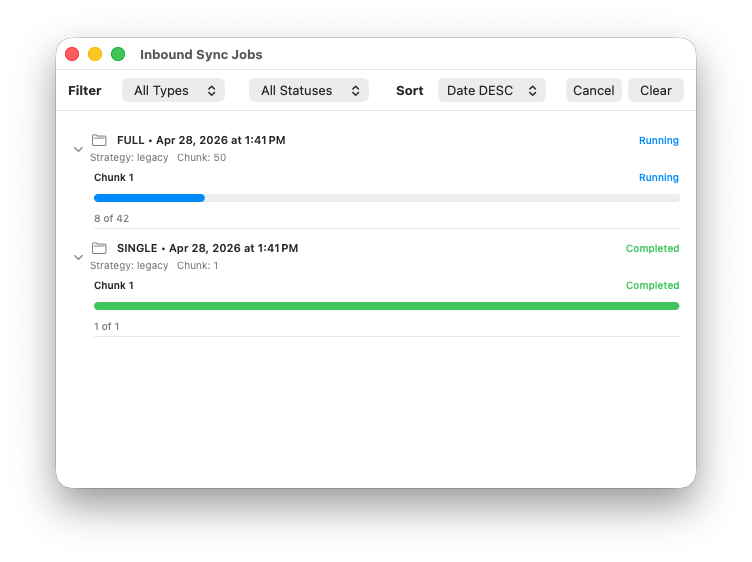
Inbound Apple Business API reload status view showing running, completed, failed, and canceled states.
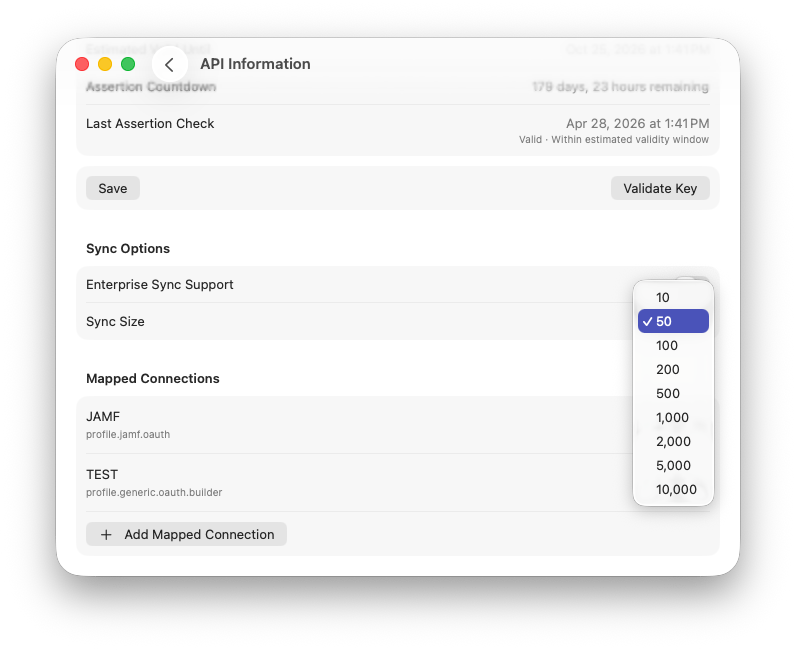
Inbound Apple Business API now respects chunk sizes for more granular API control.
Folder + Connection Rows
Each outbound run is shown as a folder-style row with credential context and connection count. Expanding the folder shows each connection in execution order, its progress bar, and its status.
Status Semantics
| Status | Interpretation | Next Action |
|---|---|---|
| Running | Connection/run is currently processing | Monitor progress and logs |
| Completed | Execution finished without terminal error | Review update/skip diagnostics |
| Failed | Terminal request/contract/payload error occurred | Use error details + logs to isolate contract or mapping issue |
| Canceled | User-initiated cancellation before completion | Rerun single first, then full if needed |