Guide
Credential Rotation
Credential rotation lets you replace a revoked or reset API credential while preserving tenant history and existing data continuity. In practice, this means you can move to a new credential without losing previously imported device and warranty records tied to that tenant context.
Manual Rotation Workflow
To rotate a credential manually, open Settings > API Information, select the credential you want to replace, and choose Change Credential. The rotation flow then collects the updated credential details, including credential name, Client ID, Key ID, and PEM key material.
When the workflow completes successfully, the new credential becomes the active credential for that tenant context. Existing tenant data remains available, so the cutover is focused on auth replacement rather than rebuilding your data from scratch.
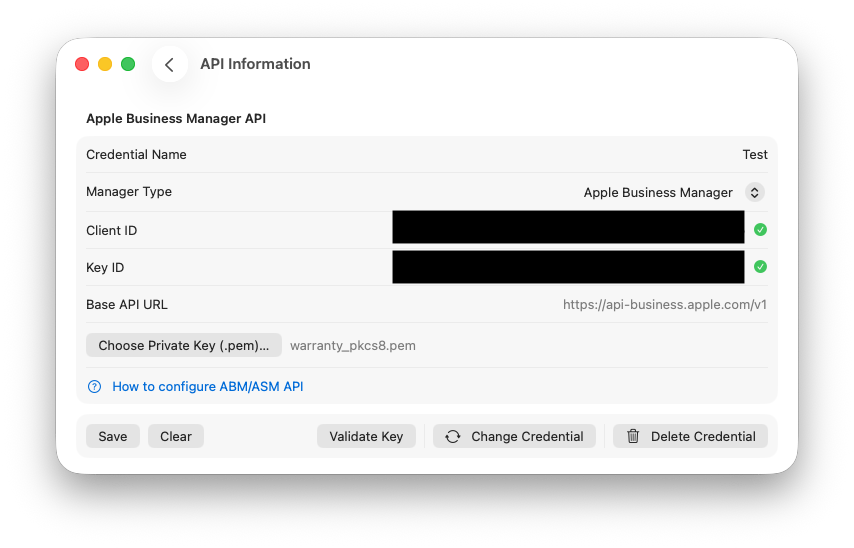
Find the change credential button to trigger the credential change wizard.
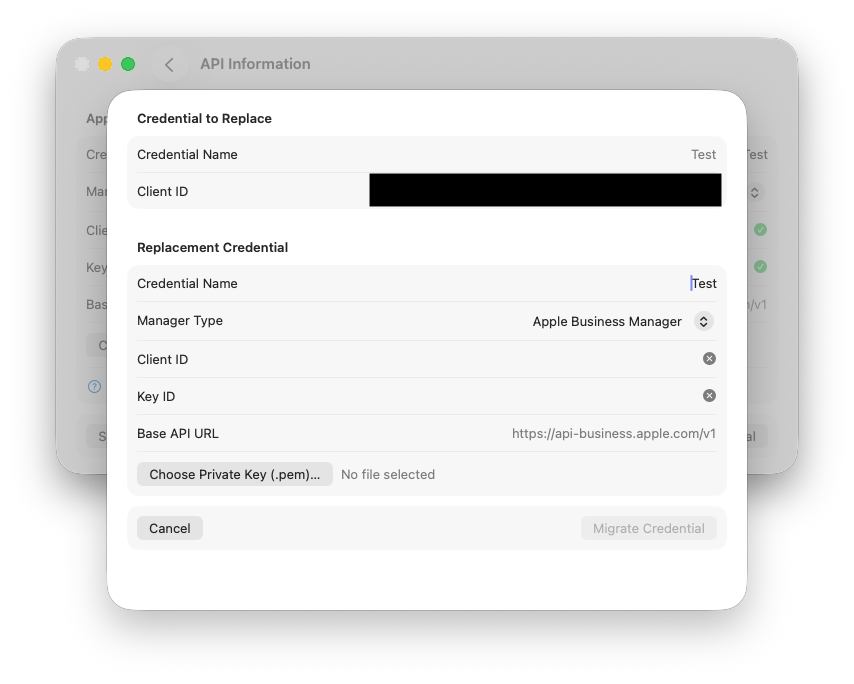
Once in the wizard enter your new credential name, client id, key id and certificate and click Migrate Credential.
Managed Preferences Rotation Workflow
In managed environments, imported credential payloads support two intent paths: add a separate credential as new, or update an existing credential through rotation. The update path maps incoming managed values to an existing credential record and performs a controlled replacement.
This allows administrators to maintain standardized credential rollout policies while still preserving tenant continuity. It also reduces disruption because credential replacement and data continuity are handled in one managed flow instead of requiring manual reconfiguration per endpoint.
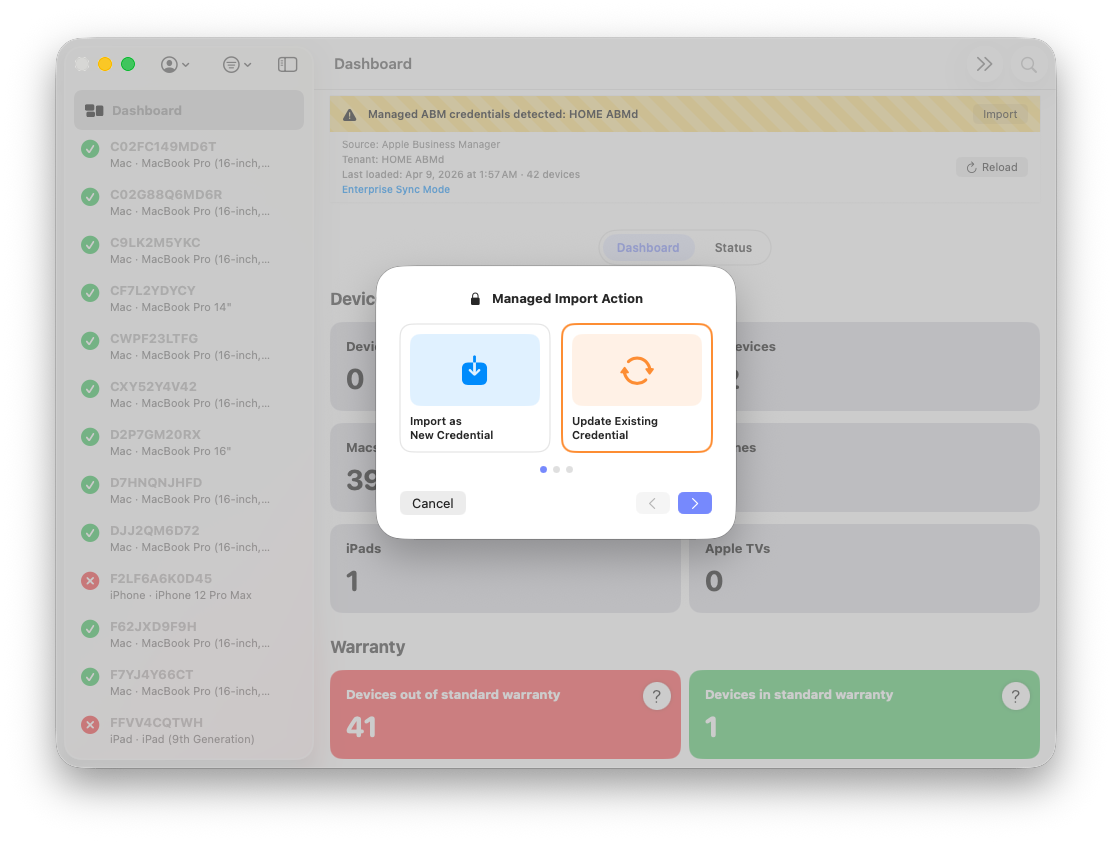
Click the import banner triggered by MDM and click Update Existing Credential.
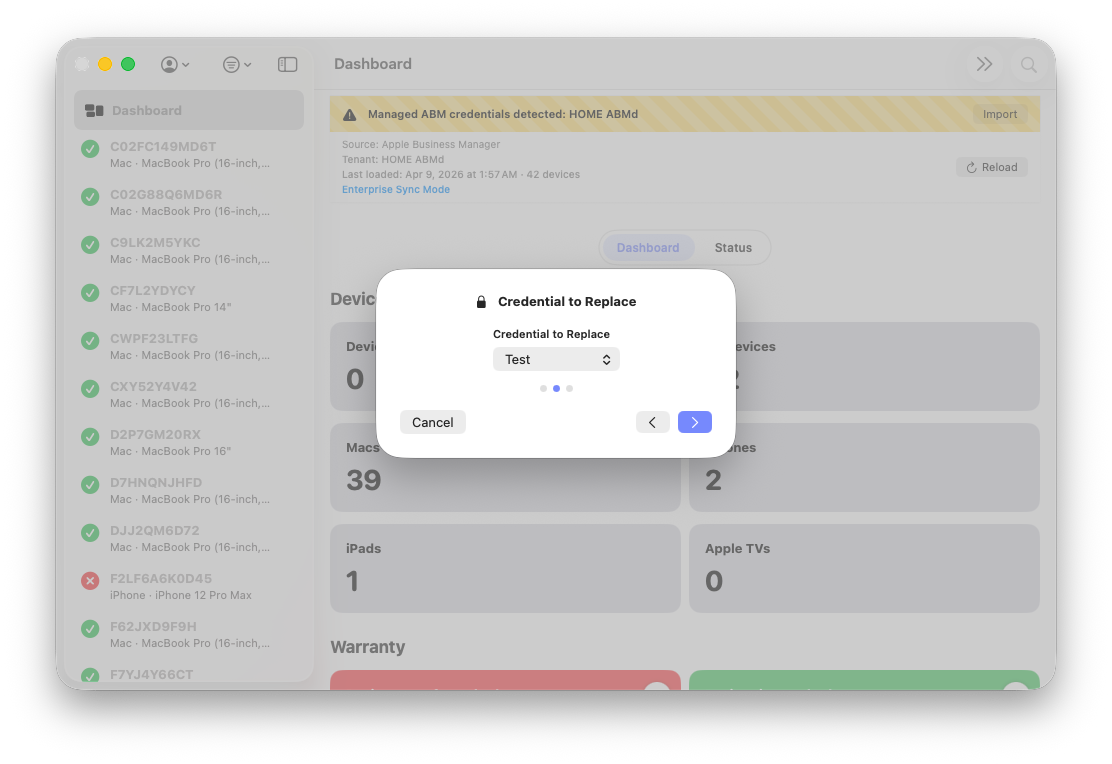
Select the credential to replace.
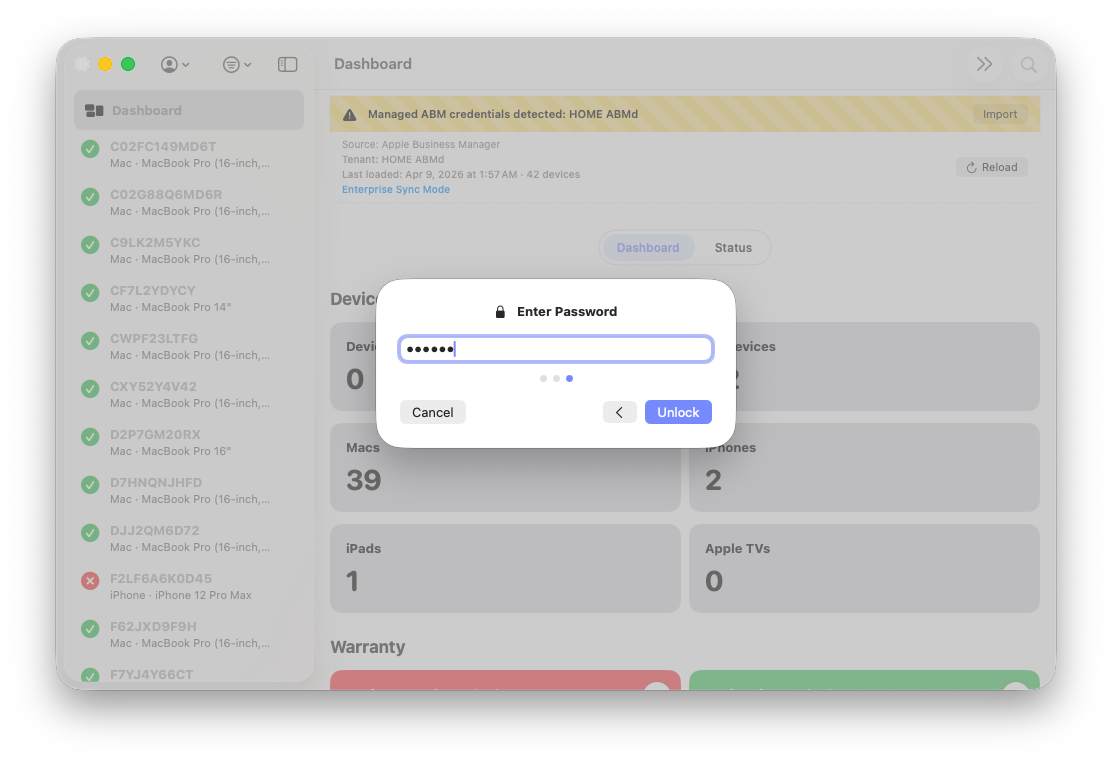
Enter the password to decrypt the updated credential to migrate.
Expected Rotation Behavior
During rotation, tenant database state is carried into the new credential context so historical records remain intact. The prior credential is not removed until successful cutover is confirmed, which keeps the transition failure-safe and avoids destructive partial states.
If rotation fails at any point, tenant data is not deleted as part of failure handling. This protects local state and lets you correct credential inputs, retry rotation, and validate auth health without sacrificing existing coverage history.