Guide
OAUTH Builder
This page explains the OAuth Builder connection type in ABM Warranty. Builder is intended for cases where you need to define contract behavior directly instead of using a prebuilt profile.
Builder Wizard Flow (High-Level)
Step 1: OAuth Connection Basics
Enter the base URL, token URL, client ID, client secret, and optional scope or audience details. The connection must validate OAuth before contract setup can proceed.
Step 2: API Contract
Define required fetch and update endpoints by entity, plus method and formatter. This contract drives lookup behavior, destination sampling, and outbound update requests.
Step 3: Field Mapping
Choose destination fields for ABM source fields and define action and formatter behavior for each. Builder does not assume profile defaults, so the destination field path is explicitly selected by the operator.
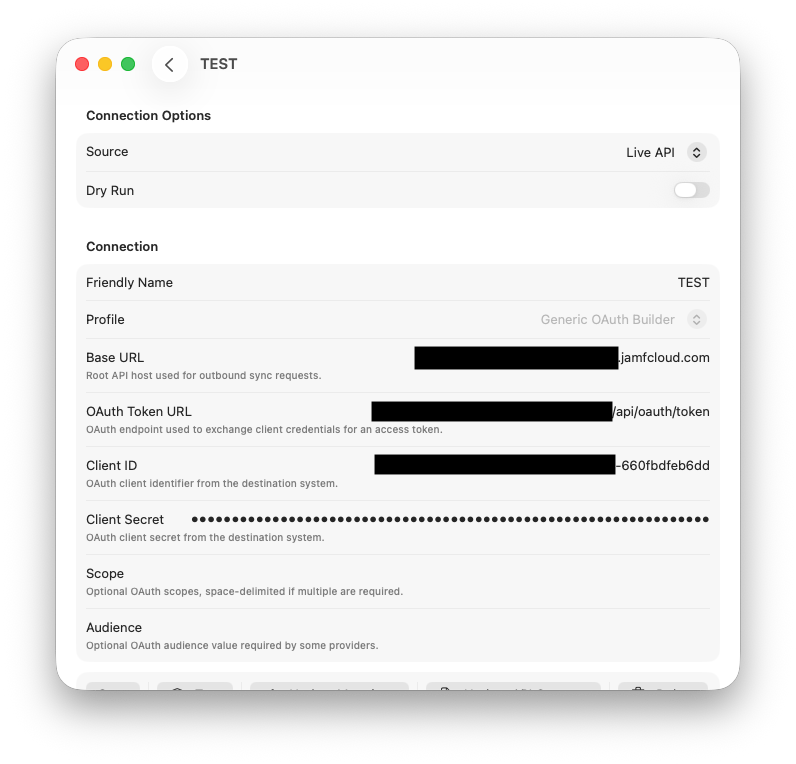
Enter connection basics and OAuth credentials, then validate authentication.
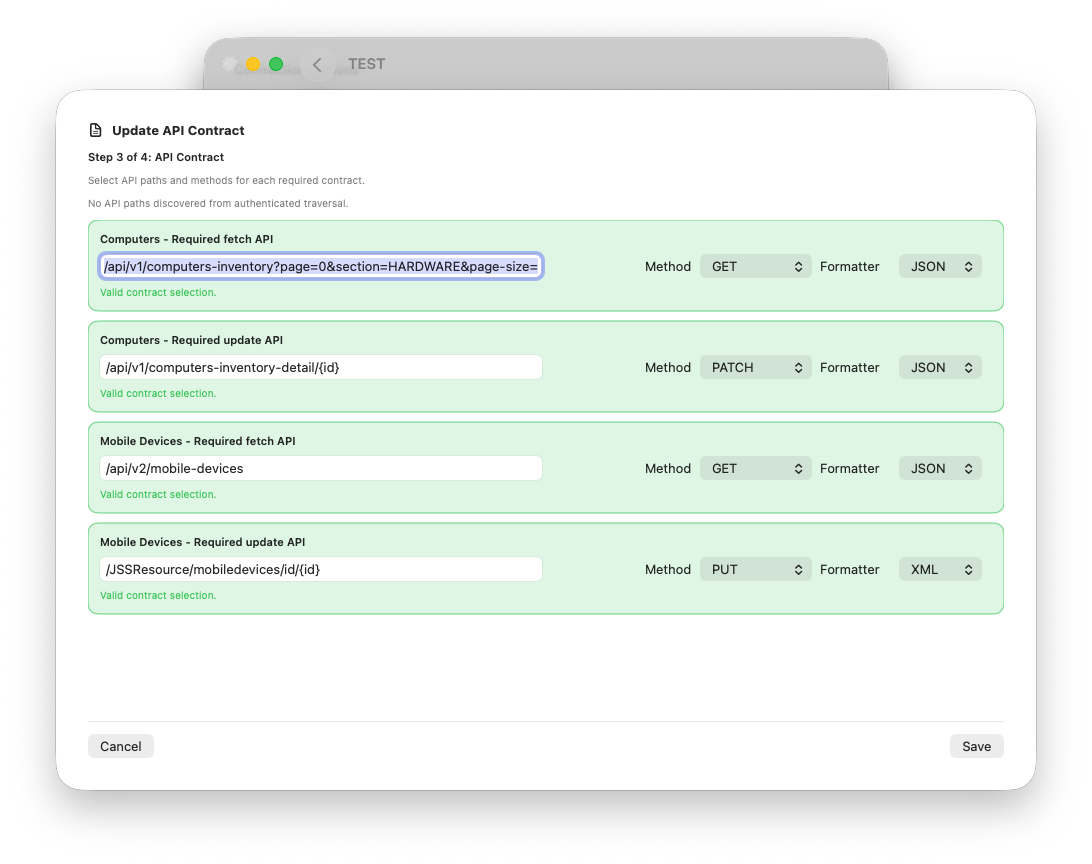
Define API contract endpoints, methods, and formatter behavior for lookup and updates.
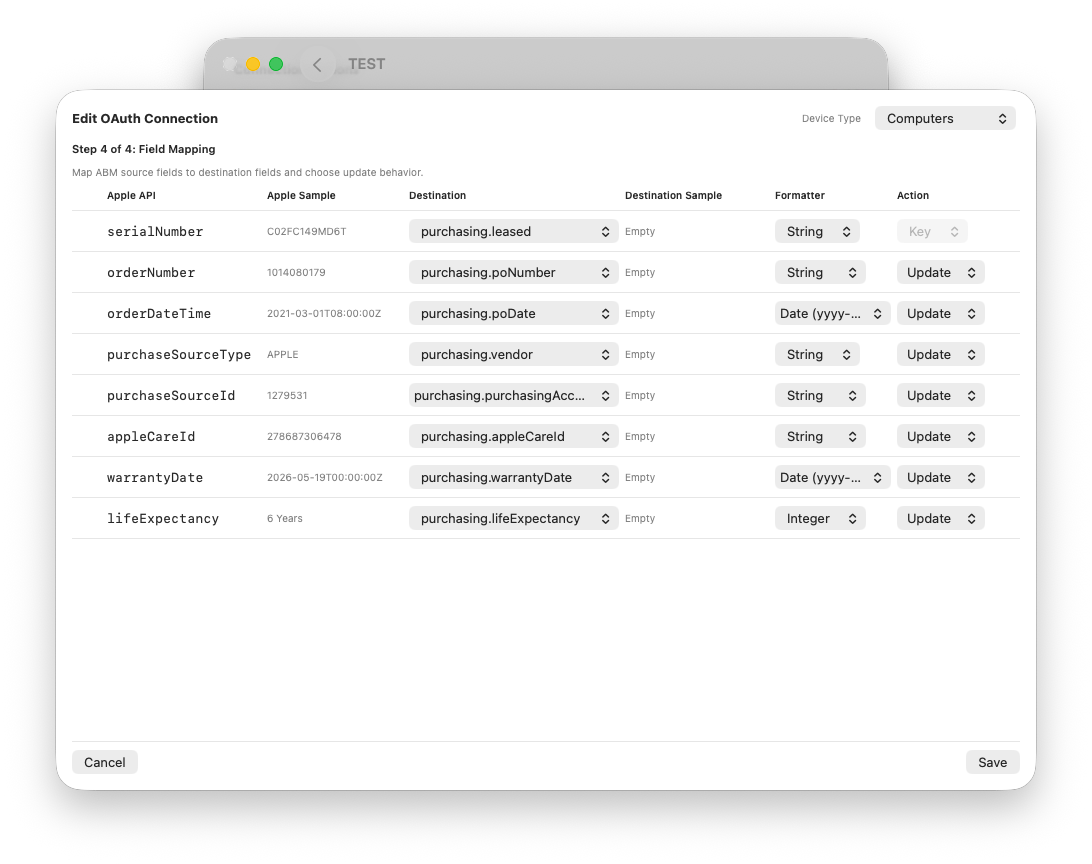
Review field mappings, action rules, and formatters before saving the Builder profile.
Updating Contract After Save
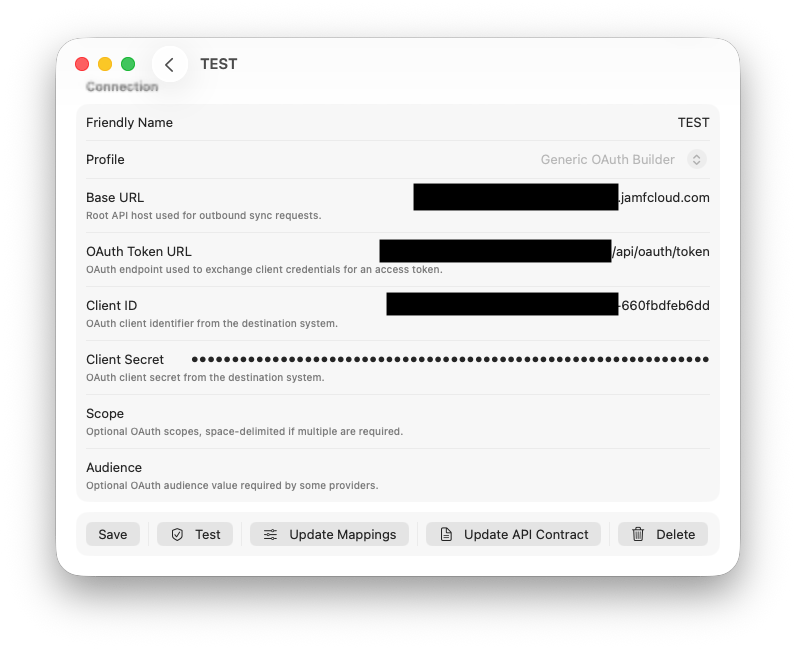
Where to Update Contract
- Open the Builder connection in Settings → Connections.
- Use Update API Contract for contract-only edits.
- Use Update Mapping for mapping-only edits.
Why This Separation Matters
Contract errors (wrong path, method, or formatter) and mapping errors (wrong field selection or action) are different failure classes. Keeping these edit flows separate helps isolate root causes quickly.
Validation Sequence for Reliable Setup
Recommended Order
- Validate OAuth connectivity.
- Set and save API Contract.
- Open Update Mapping and set fields, actions, and formatters.
- Run a single-record dry run.
- Run a single-record live sync.
- Proceed to full sync after expected updates are confirmed.
Why Single-Record First
Single-record tests reduce risk and make troubleshooting precise. You can validate contract lookup, payload format, and field-level update behavior before any wide-scope write operation.
Common Failure Patterns and What They Usually Mean
| Symptom | Likely Cause | Primary Check |
|---|---|---|
| 405 Method Not Allowed | Wrong method for endpoint | Verify method in API Contract row |
| 415 Unsupported Media Type | Wrong formatter or content type | Verify JSON vs XML formatter selection |
| 400 INVALID_CONTENT field errors | Field name or formatter mismatch | Check mapped destination path and formatter |
| Destination missing | Lookup path does not expose serial fields | Check fetch contract path and serial visibility |
| No updates but sync completes | Skip, no-change, or null-source behavior | Review action rules, dry-run diagnostics, and source values |
Operational Notes
Per-Field Skip Semantics
Skip is evaluated per field, not per entire record. A record can still update some fields while other fields are skipped by rule or by no-change comparison.
Null and Empty Source Protection
Outbound behavior should skip null or empty source fields rather than clear destination values. If destination values are unexpectedly cleared, inspect current logs and mapping state immediately.
Diagnostics as Source of Truth
Use Outbound Sync Jobs diagnostics and runtime logs to confirm:
- Resolved destination ID
- Lookup endpoint used
- Method and formatter used
- Skip or update reasons
- Request-level failure details