Guide
Outbound Jobs View
The Outbound Sync Jobs window is the execution history and live progress view for connection-driven sync work. It shows what ran, in what order, and what happened for each connection within each outbound run.
Sync Types
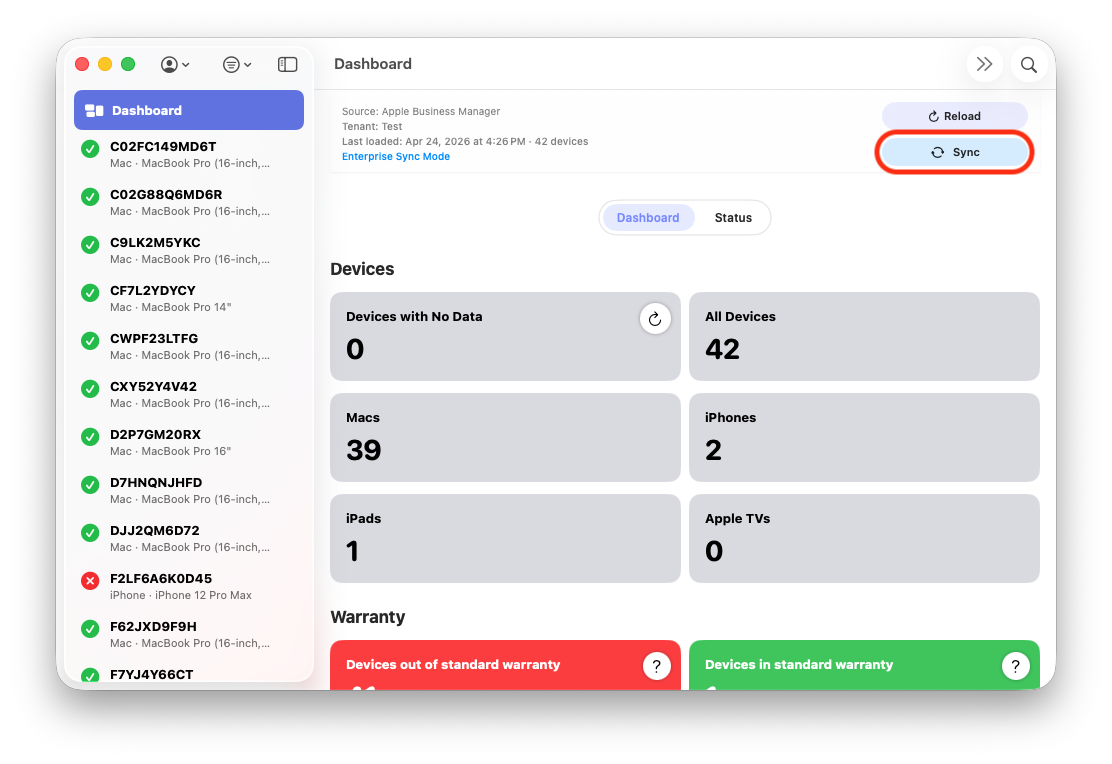
Full sync view showing fleet-wide outbound processing and aggregate progress.
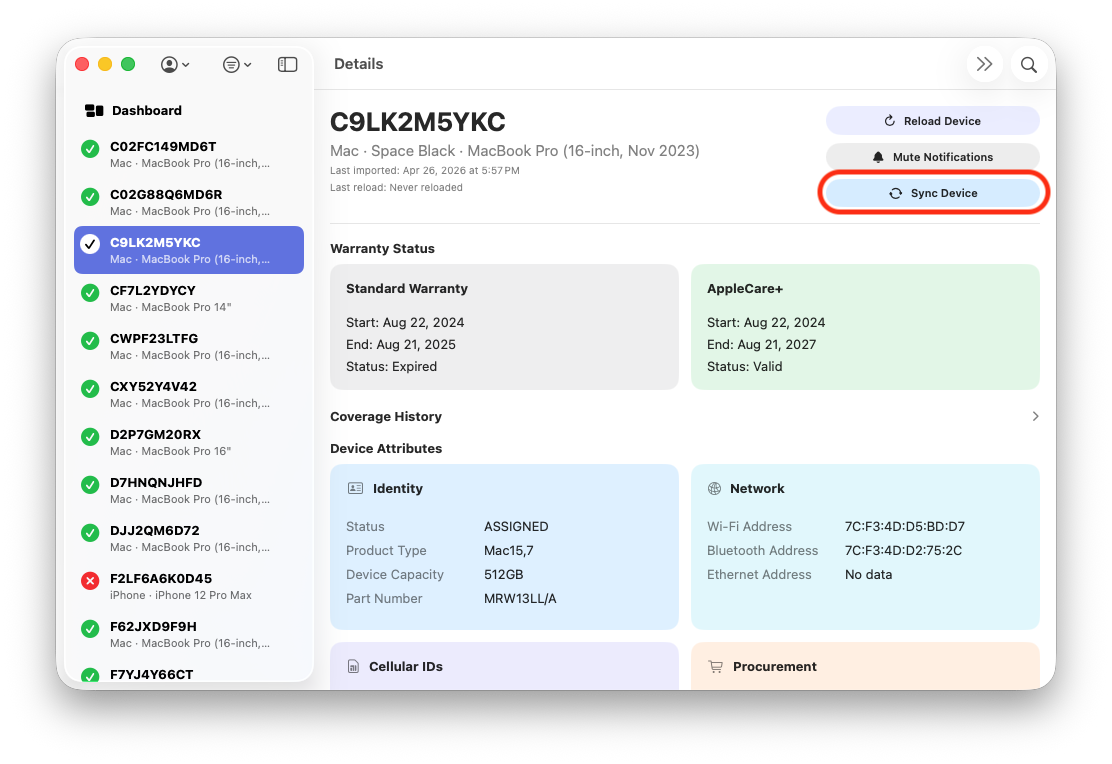
Single sync view focused on one serial for targeted validation and low-risk testing.
Full
Full processes all source records in scope for the run. It is used when validating new mappings at scale, or when you want complete reconciliation against the destination system.
Single
Single processes one serial-targeted record. This is the safest way to validate contract, formatter, and mapping behavior before running a full write operation.
| Type | Best Use | Risk Level | Expected UI Count |
|---|---|---|---|
| Full | Fleet-wide reconciliation and production runs | Higher | X of total fleet in scope |
| Single | Validation, troubleshooting, and targeted correction | Lower | 1 of 1 |
Dry Run Behavior
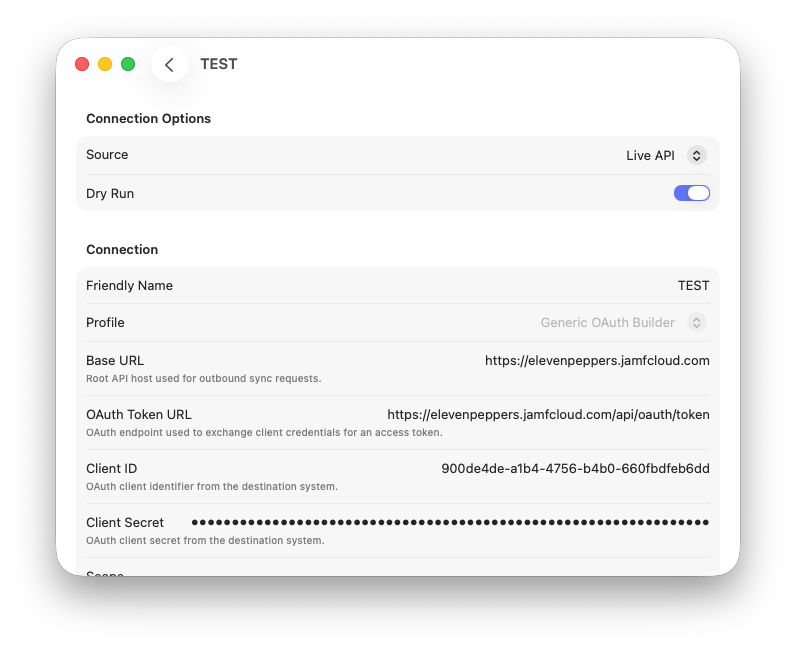
Dry Run enabled in connection settings before executing outbound sync jobs.
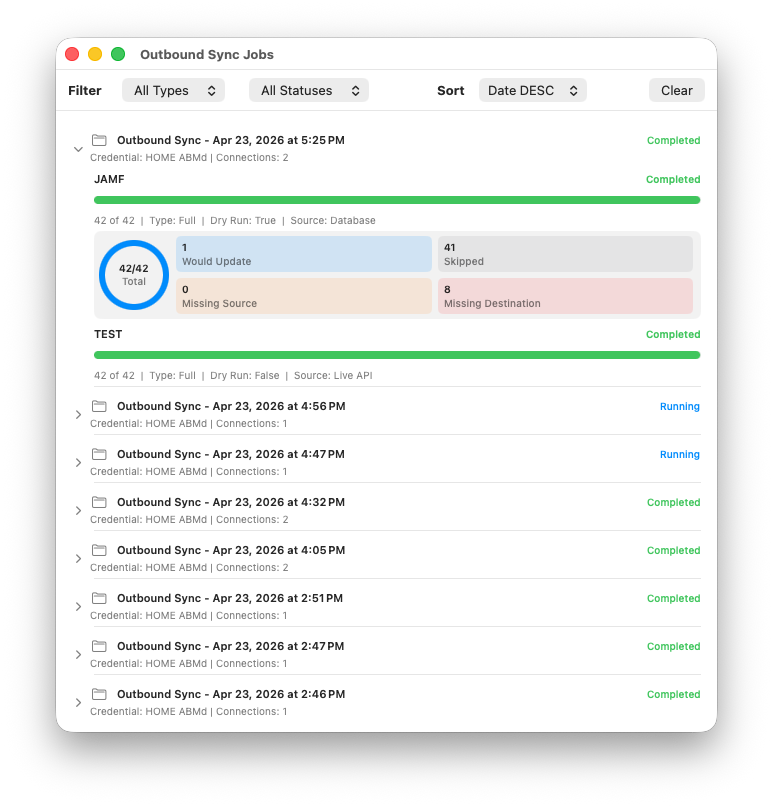
Dry run diagnostics dashboard view in Outbound Sync Jobs showing non-writing validation outcomes.
What Dry Run Does
Dry run evaluates mapping and reconciliation without writing destination updates. It still performs lookup, comparison, and payload decisioning so you can confirm what would happen in a live run.
Dry Run Dashboard in Outbound Jobs
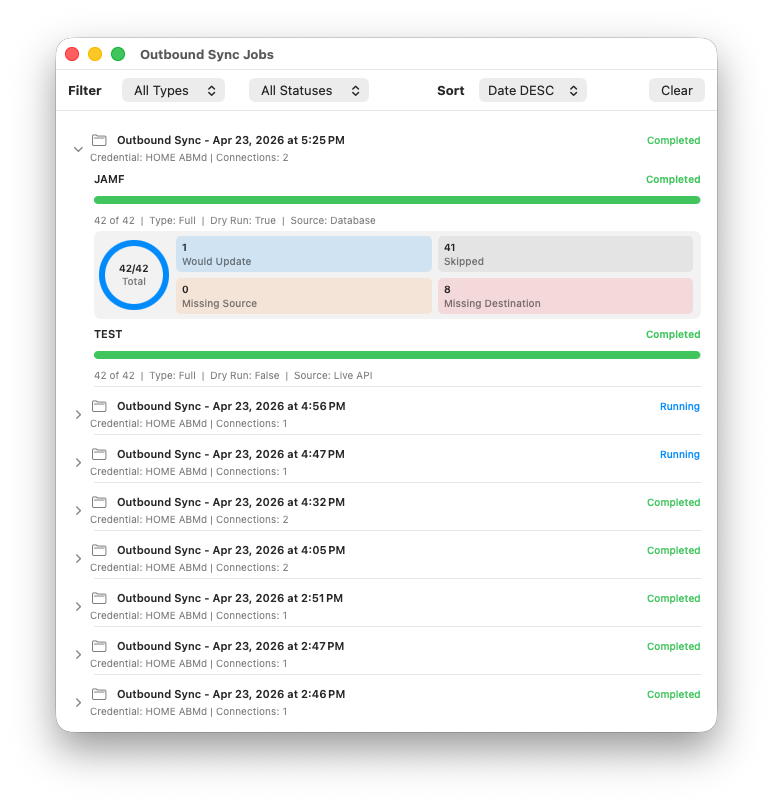
When dry run is enabled, outbound rows show a mini diagnostics dashboard under progress. This summarizes the run outcome without committing writes.
| Metric | Meaning |
|---|---|
| Would Update | Fields/records that are eligible for update if live mode is used |
| Skipped | Skipped by rule or by no-change reconciliation |
| Missing Source | Required source values were absent |
| Missing Destination | Destination record could not be resolved for target serial |
Why This Matters
Dry run is the fastest safety check for contract and mapping quality. A clean dry run should precede a full live run, especially after changing contract paths, methods, formatter, or mapping values.
Progress and Status
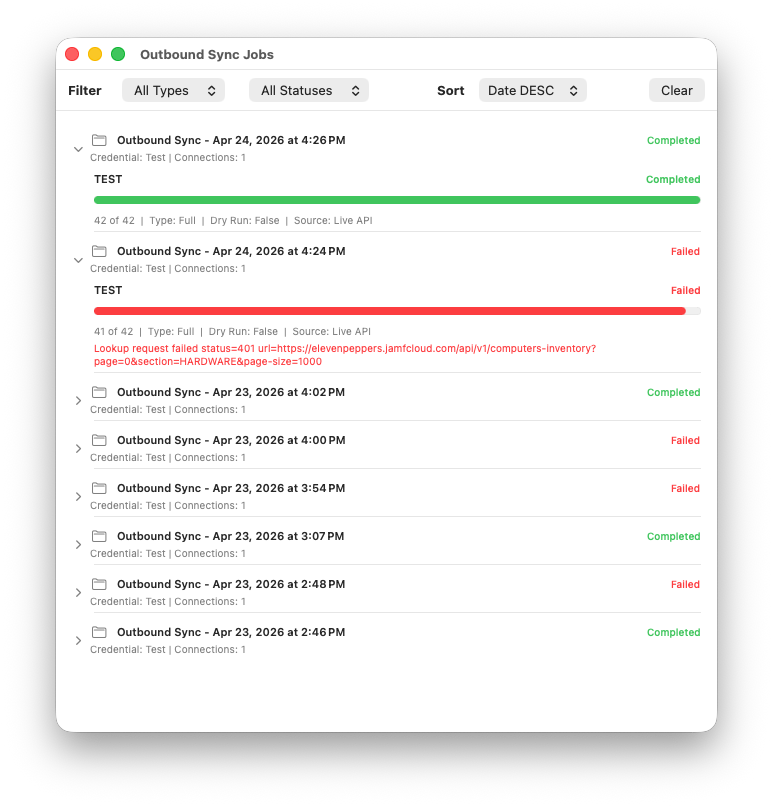
Status-focused view showing mixed outcomes across outbound runs, including failures and cancellations for operator triage.
Outbound jobs dashboard view with progress indicators and dry run context for validating behavior before live writes.
Folder + Connection Rows
Each outbound run is shown as a folder-style row with credential context and connection count. Expanding the folder shows each connection in execution order, its progress bar, and its status.
Status Semantics
| Status | Interpretation | Next Action |
|---|---|---|
| Running | Connection/run is currently processing | Monitor progress and logs |
| Completed | Execution finished without terminal error | Review update/skip diagnostics |
| Failed | Terminal request/contract/payload error occurred | Use error details + logs to isolate contract or mapping issue |
| Canceled | User-initiated cancellation before completion | Rerun single first, then full if needed |
How Outbound Jobs Relates to Dashboard
Dashboard Card
The dashboard outbound card is a live operational summary. It gives current-state visibility and quick control while a run is active.
Outbound Jobs Window
The Outbound Sync Jobs window is the historical ledger and detailed diagnostic view. Use it to inspect past runs, compare outcomes, and validate dry run behavior over time.
| View | Primary Purpose | Depth |
|---|---|---|
| Dashboard | Current run visibility and quick interaction | High-level |
| Outbound Sync Jobs | Run history, per-connection diagnostics, and failure analysis | Detailed |
Common Failure Patterns
| Symptom | Likely Cause | Primary Check |
|---|---|---|
| Destination missing spike | Lookup path does not expose serial fields consistently | Review fetch contract endpoint and destination serial visibility |
| 400 INVALID_CONTENT | Mapped destination path or formatter mismatch | Validate mapping field names and formatter selections |
| 405 Method Not Allowed | Wrong update method for endpoint | Verify method in Update API Contract |
| 415 Unsupported Media Type | JSON/XML formatter mismatch for endpoint family | Confirm contract formatter for update endpoint |
| Completed but no visible destination changes | No-change/skip/null-source protections prevented writes | Inspect per-field action rules and diagnostics counters |
Recommended Operator Workflow
- Run Single + Dry Run for the target serial.
- Fix contract/mapping issues until diagnostics look correct.
- Run Single + Live and verify destination data changed correctly.
- Run Full + Dry Run to estimate fleet-wide behavior.
- Run Full + Live once results are validated.