Guide
Enterprise Sync Mode
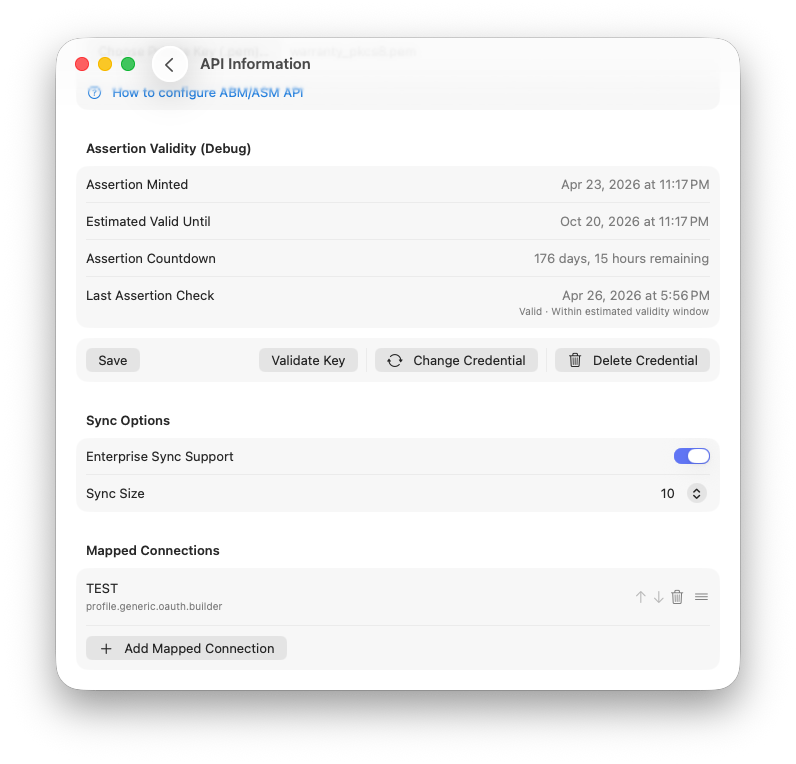
Enterprise Sync Mode is an advanced sync option designed for organizations with larger Apple device fleets. It helps the app process large sync workloads more safely and consistently, especially when API conditions are slow, rate-limited, or unstable.
When enabled, sync behavior is tuned for reliability and controlled throughput rather than pure speed bursts.
Where to Enable It
- Open Settings.
- Turn on Enterprise Sync Support.
Once enabled, the dashboard indicates that Enterprise Sync Mode is active.
Why It Exists
As fleets grow, sync jobs become heavier and operational complexity rises. More devices must be reconciled, more coverage and enrichment data must be processed, and API throttling or transient failures become more likely during long runs.
Enterprise Sync Mode exists to reduce failed or unstable sync runs under those conditions and provide a more resilient runtime path for larger-scale imports.
How It Differs From the Primary Sync Track
Enterprise Sync Mode keeps the same sync contract and data rules, but changes execution behavior to prioritize stability and predictability at scale.
Same Core Contract
- Reconciles device presence against API results.
- Marks devices inactive when they are no longer in API inventory.
- Uses full, partial, and single-device sync entry points.
- Persists sync state and job history.
Different Execution Style
- Controlled pacing of API requests.
- More defensive retry and backoff behavior.
- Chunked job execution with durable state tracking.
- Better handling of long-running sync operations.
Benefits for Larger Fleets
Enterprise Sync Mode is most useful when you have many devices and frequent sync activity where job stability matters as much as raw execution speed.
- Fewer unstable runs under API pressure.
- More predictable progress during large syncs.
- Better survival of cancellation and interruption scenarios.
- Stronger visibility into chunk and job outcomes in Sync Jobs.
- Smoother long-run behavior for full and partial sync cycles.
What It Does Not Change
Enterprise mode does not change your business logic or data contract. It does not alter inactive rules, redefine full/partial/single sync types, skip reconciliation requirements, or change what correct sync results look like.
It changes how work is performed, not what result is considered correct.
Sync Size and Enterprise Mode
Enterprise mode works with Sync Size (chunk size). Smaller chunks can improve control and observability, while larger chunks can reduce overhead in stable environments.
Available values are 10, 50, 100,
200, 500, 1000, 2000,
5000, and 10000. The default value is
100.
Recommended Usage
Use Enterprise Sync Mode when your tenant has a larger fleet, you run frequent full or partial syncs, and you need more stable behavior across long-running operations with clearer run and chunk-level visibility.
For smaller fleets, primary sync mode may feel faster in simple conditions, but Enterprise mode is typically more resilient as scale, runtime duration, and API variability increase.