
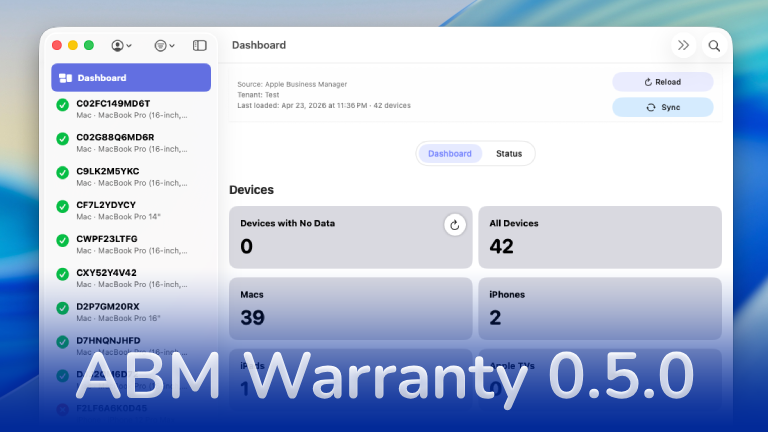

ABM Warranty Featured
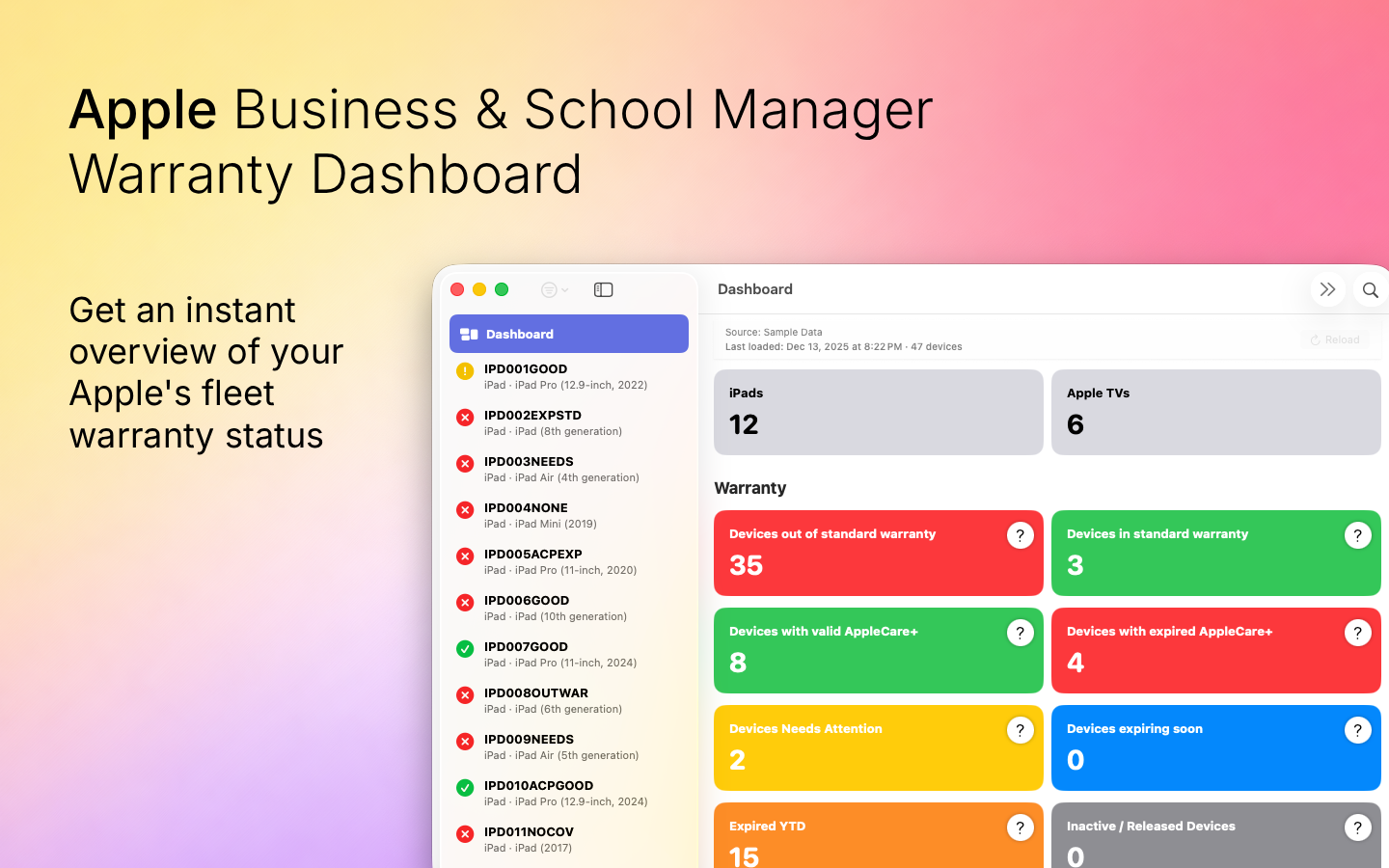
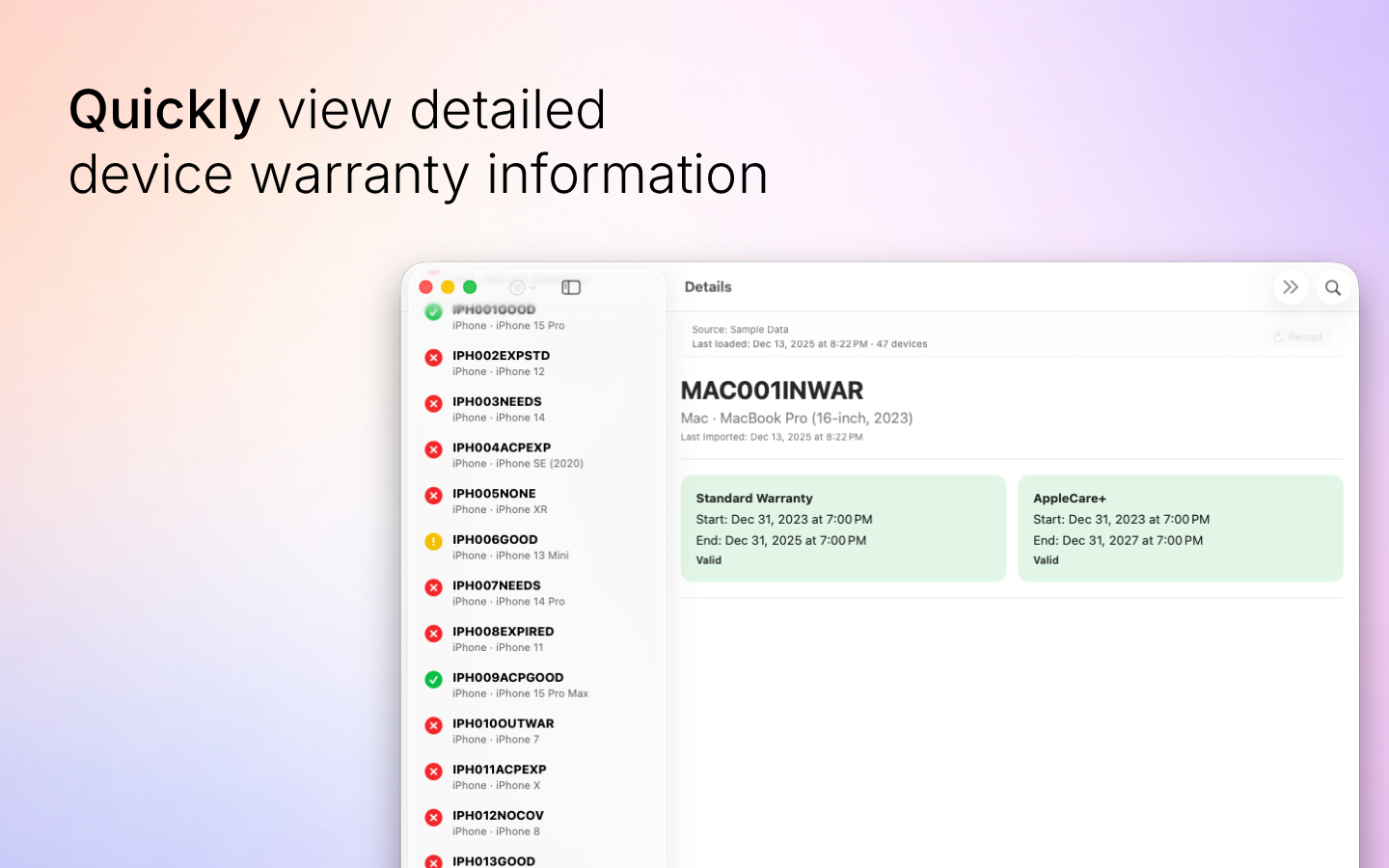
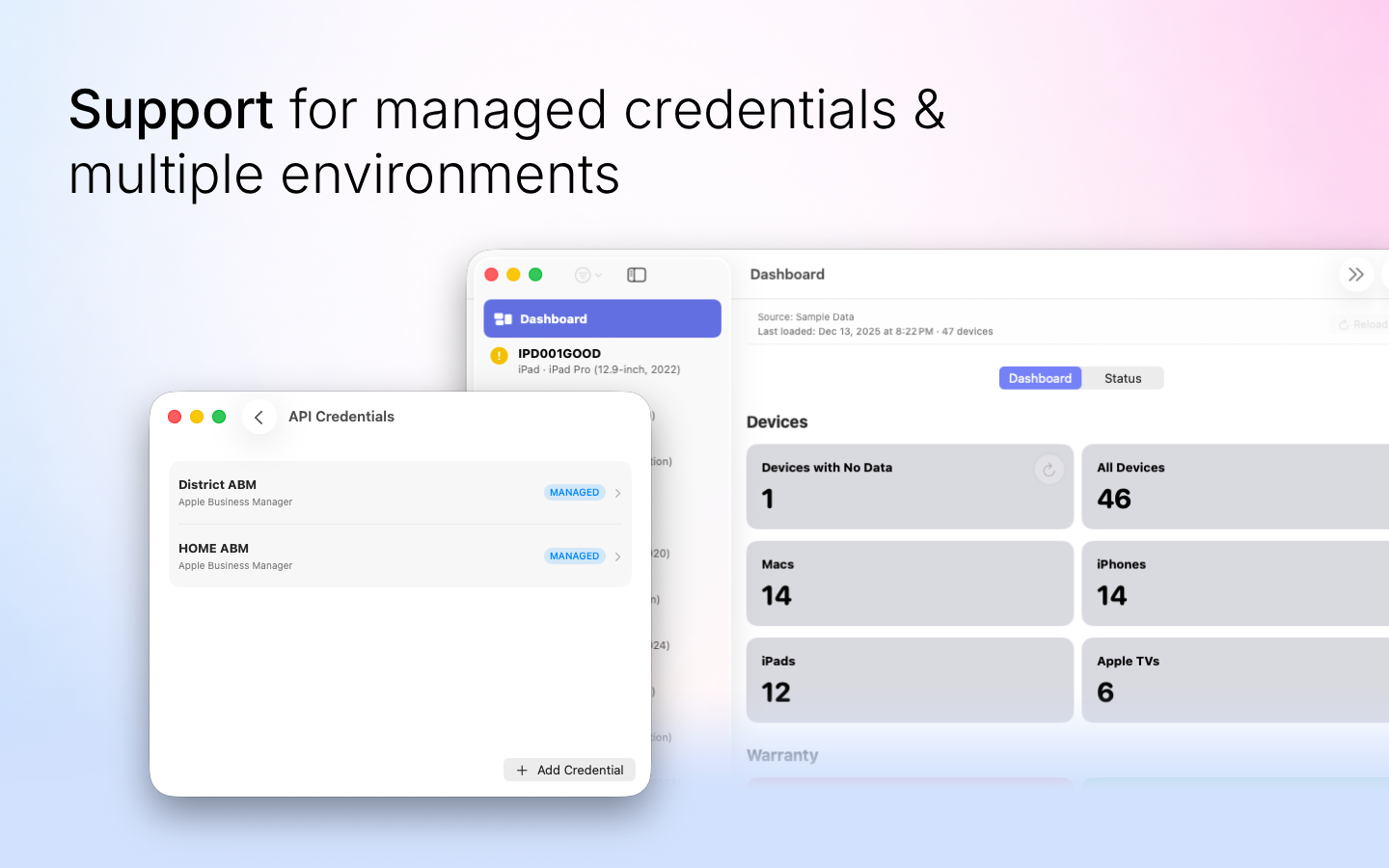
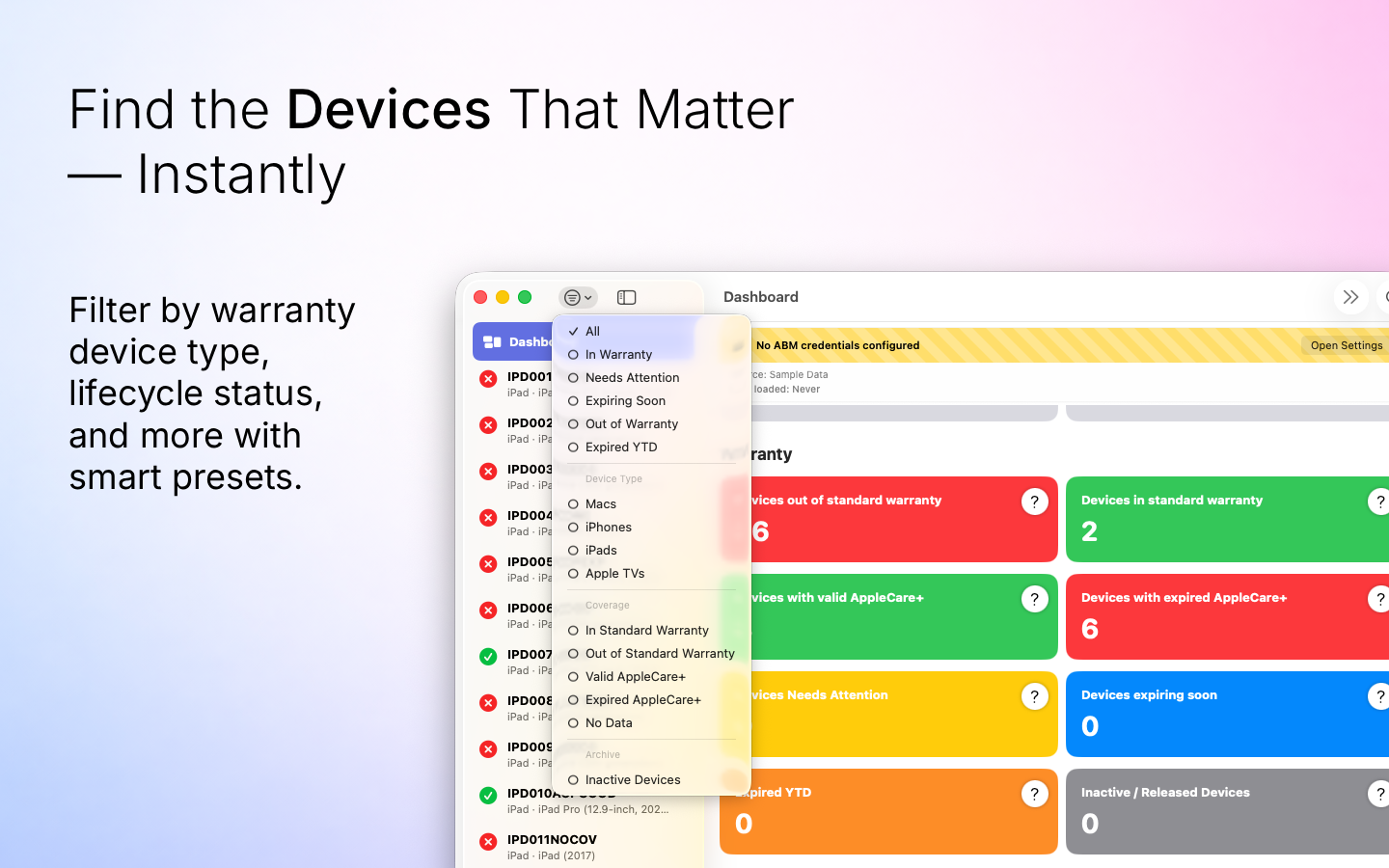
The 0.5.0 release was focused on data integrity, data lifecycle completeness and smoother operation. Under the hood we introduced a database migration path where any changes to the database storage is performed on a runtime migration to ensure that new features are introduced without front end interference.
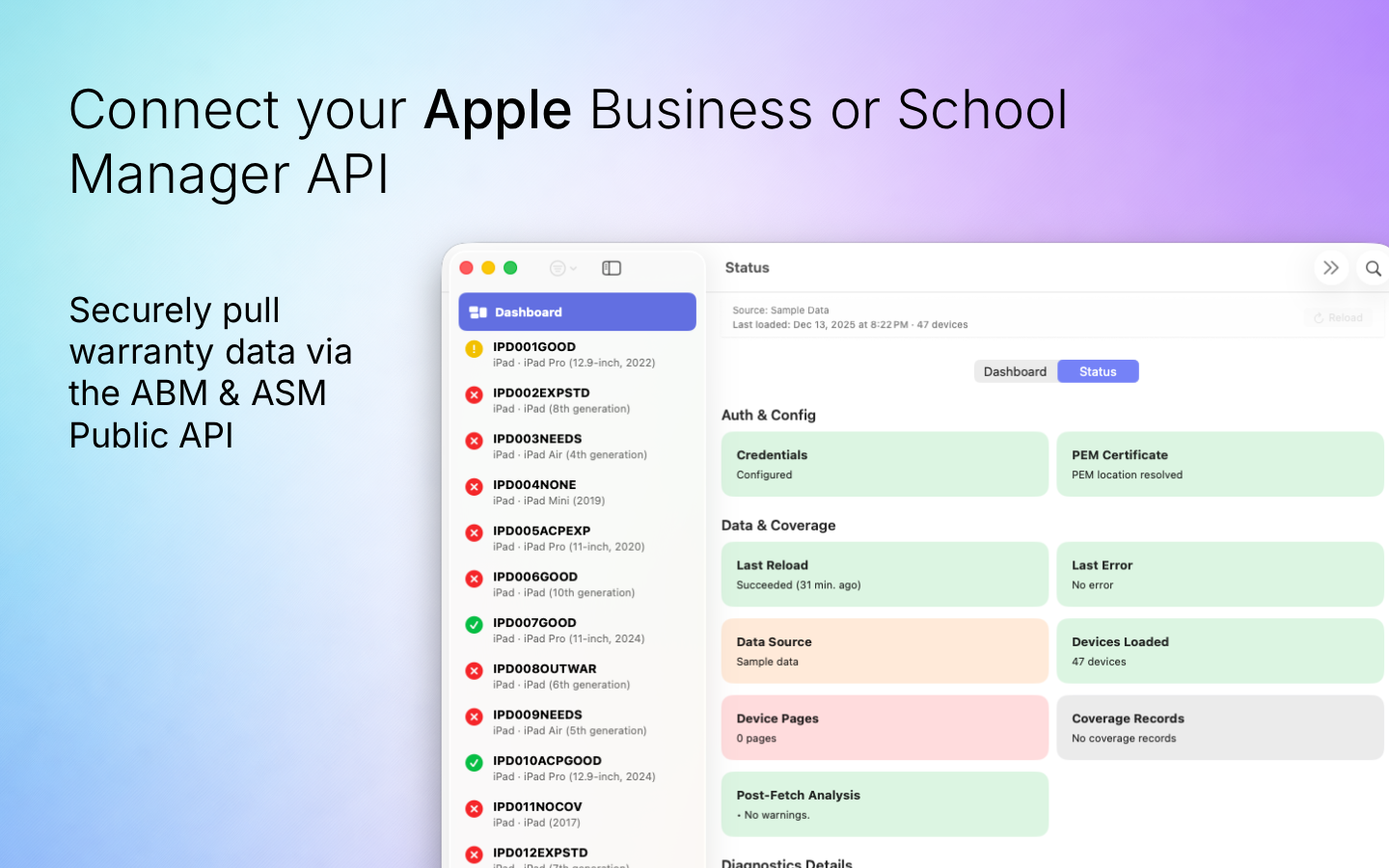
We also made the importing of data from the Apple Business API more logical with the sync types. We now offer a Full sync where it auto-skips any information already in the database, a partial sync which is reserved for sync errors. If an error happens on sync for a device that device is skipped, tracked as a “No Data” endpoint and you can re-sync those later. Finally a single sync allows you to sync a known change on a single record from the Apple Business API.
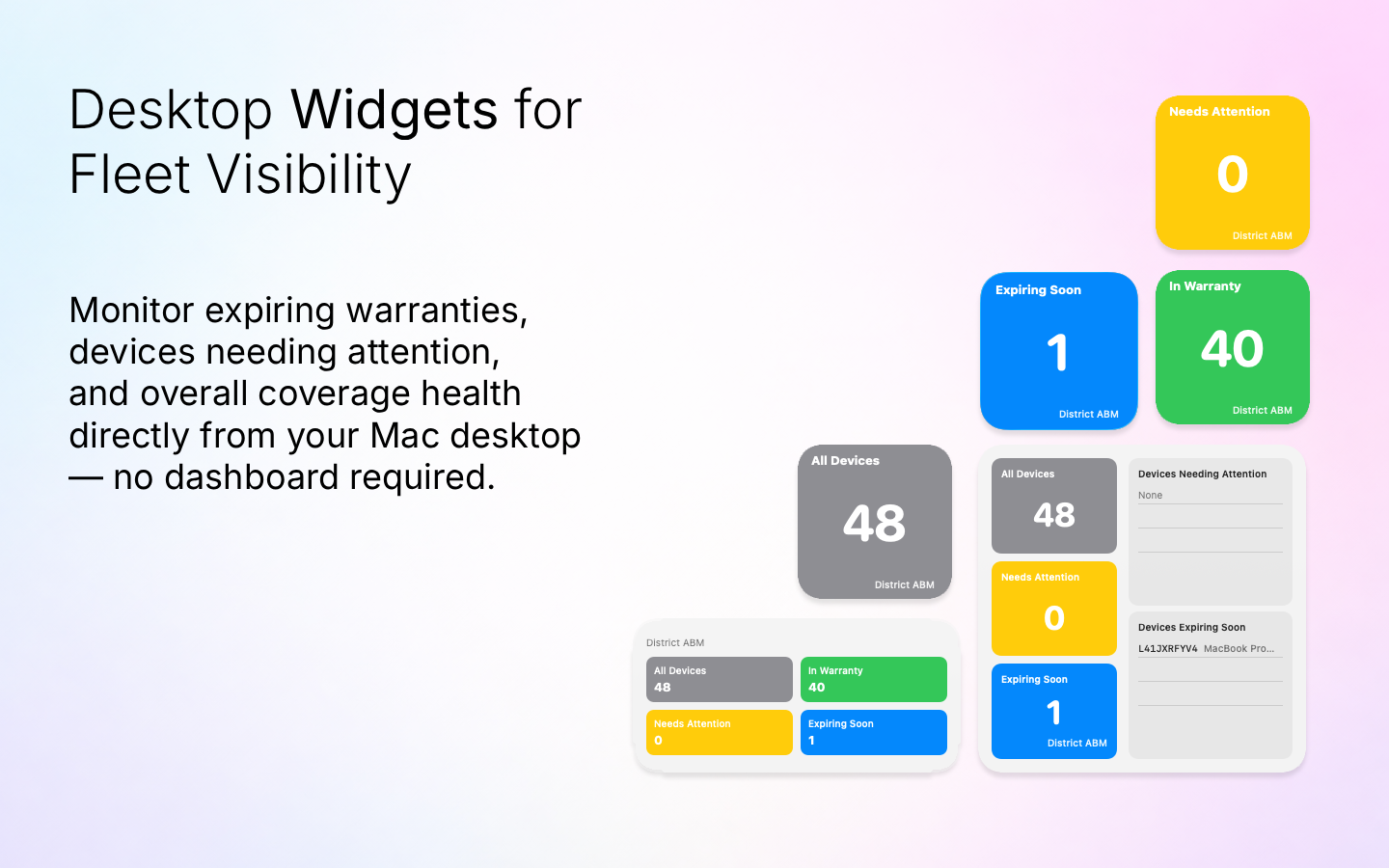
Desktop Widgets
The entire point of the ABM Warranty app is to help organizations create a robust warranty lifecycle program. However keeping the app open is a burden for those that just want a quick at a glance status of their fleet. The desktop widgets offer a solution to this problem.
You can add widgets for the ABM Warranty app and these are tenant aware, so if you switch tenants in the app the dashboard on the desktop will respond. Clicking on the dashboard widget chips will deep link back to that record in the app itself or to the main dashboard. Its a great at a glance quick and easy way to keep tabs on your fleet.
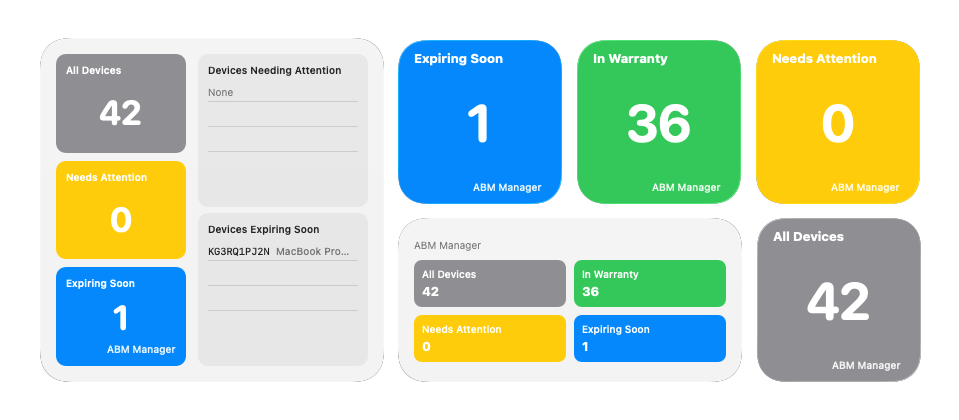
We have multiple types of dashboard cards. Individual chips for Needs Attention, Expiring Soon, All Devices and In Warranty. You can also get a single card that shows a list of devices that ned attention and are expiring soon as well.
Credential Replacement + Tenant DB Migration
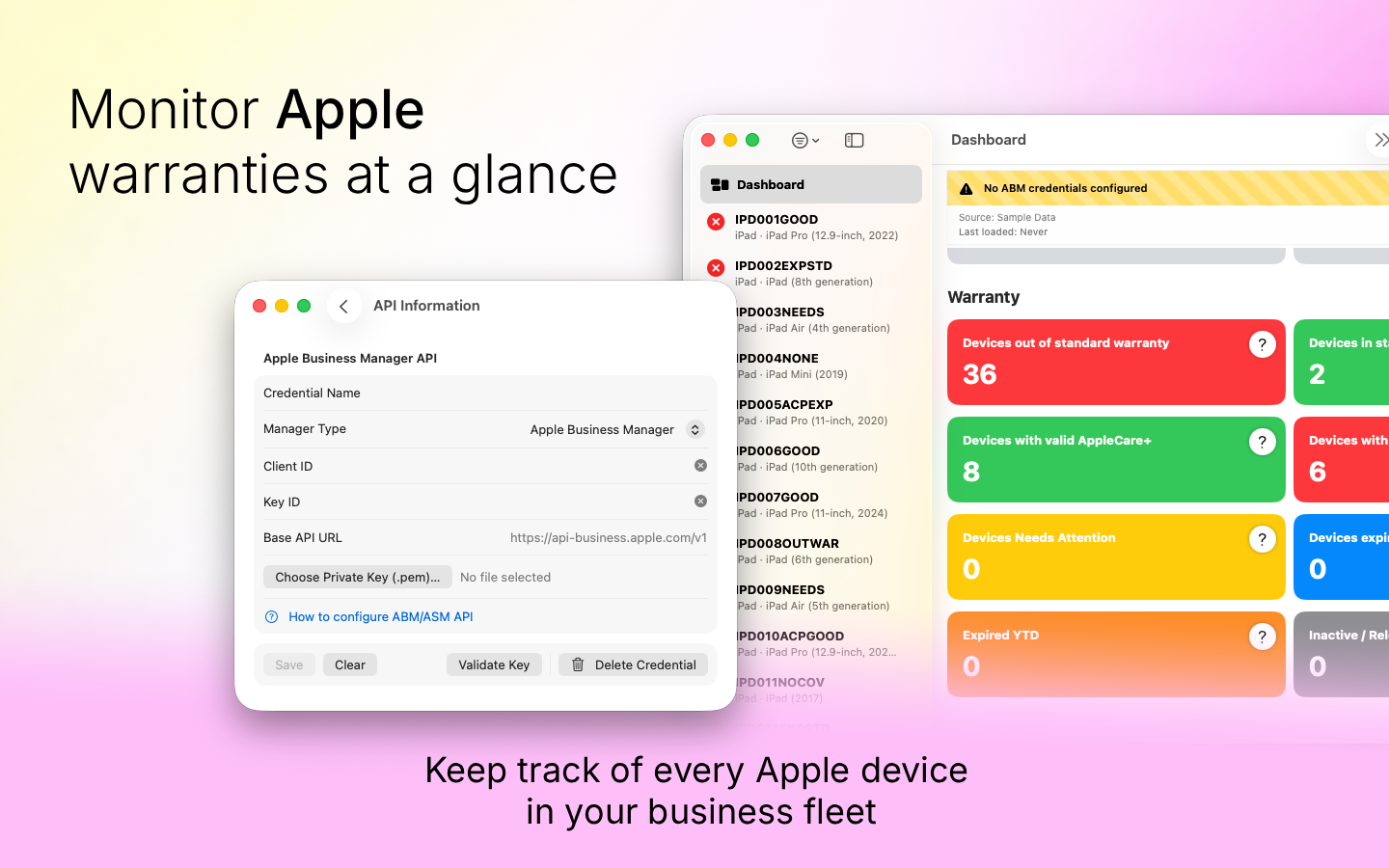
The Apple Business API allows you to create an API key that consists of a client id, key id and certificate. You also have the ability to revoke the certificate, and delete the credential set all together. There are many many companies and organizations that are required to revoke keys after X days, or rotate credentials to meet compliance requirements.
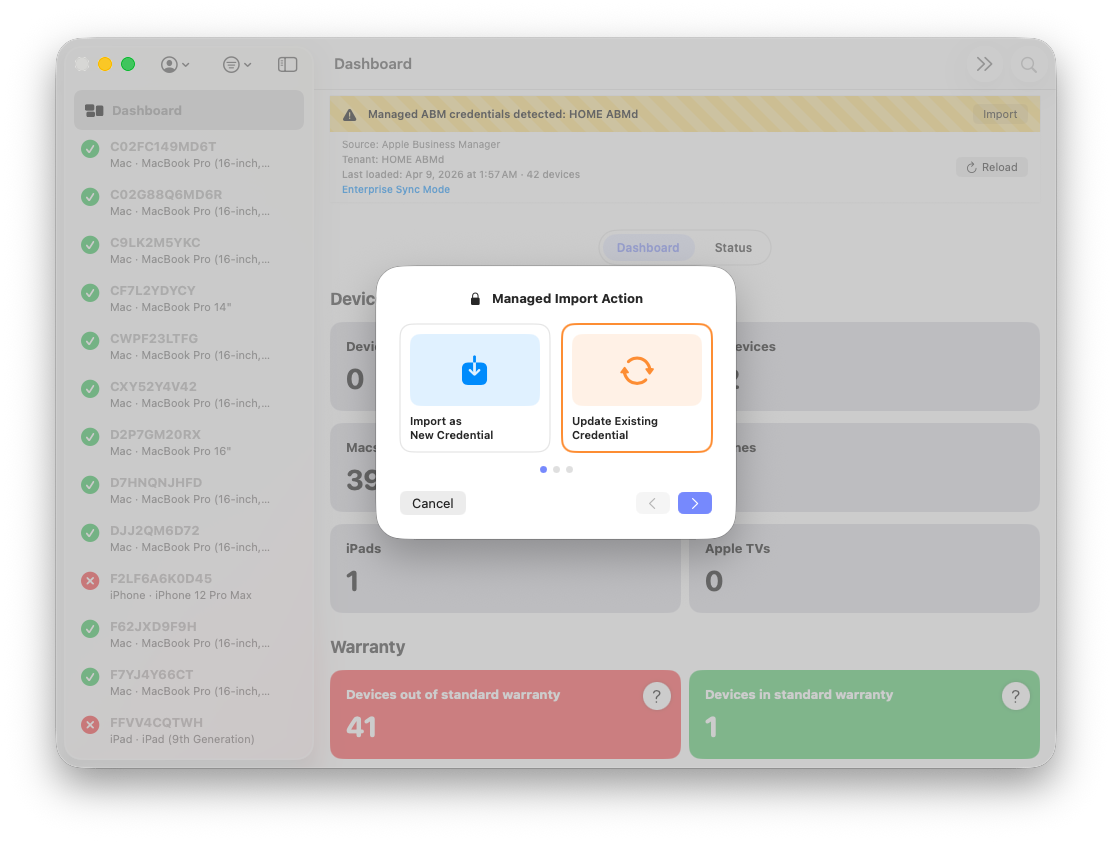
For those companies where the database key is the client id, that means that any future rotated key will result in duplicated databases. To combat against this we created a built in change key flow that allows users to update their key sets, and it migrates the database to this new key.
Managed credentials offer this same flow. If you had previously used an MDM to deploy a credential configuration and then update that profile, the app will detect that change and offer the user the ability to use it for the update path or import it as a new credential if so desired.
Localization
The app is now fully localized in English, German, Spanish, French, Italian, Japanese, Korean, Russian, Chinese Simplified and Chinese Traditional. We used Codex to perform the localization in the app itself and the core translation. If you find a poorly translated string please take a picture, highlight the string, and provide the updated and correct translation to [email protected].
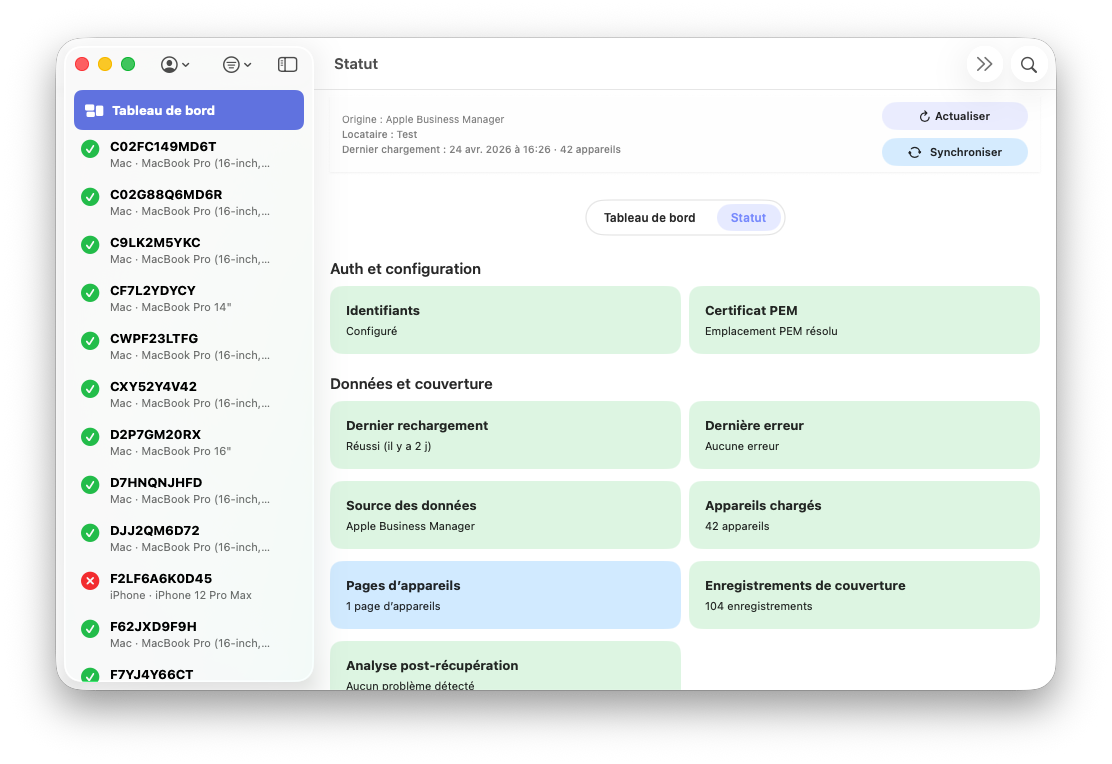
The goal with localization really is to ensure that users abroad or non-English speakers can use the app natively. We will continue our commitment to localization and as the app expands we will continue to work on translating the app into new languages.
ABM API Performance Optimization
In version 0.5.0 we introduce a new sync strategy called “Enterprise Sync Support” which can be enabled in the settings. This unlocks a new backoff and retry strategy that is helpful for organizations with large fleets of Macs in their Apple Business ecosystem. This includes the following:
- A skip device on fetch fail for retry later
- A backoff based on the error codes provided by Apple Business API
- Slower and more reliable API calls to ensure that session termination does not happen abruptly
- A skip on update layer that checks the source and destination in the database and skips if the information is the same
This goes a long way in ensuring that the sync is stable and the API limits are respected. With this feature turned off the legacy sync path which works great for smaller fleets (those under 100) and offers reliable fleet syncing within the Apple Business API limits.
Notifications
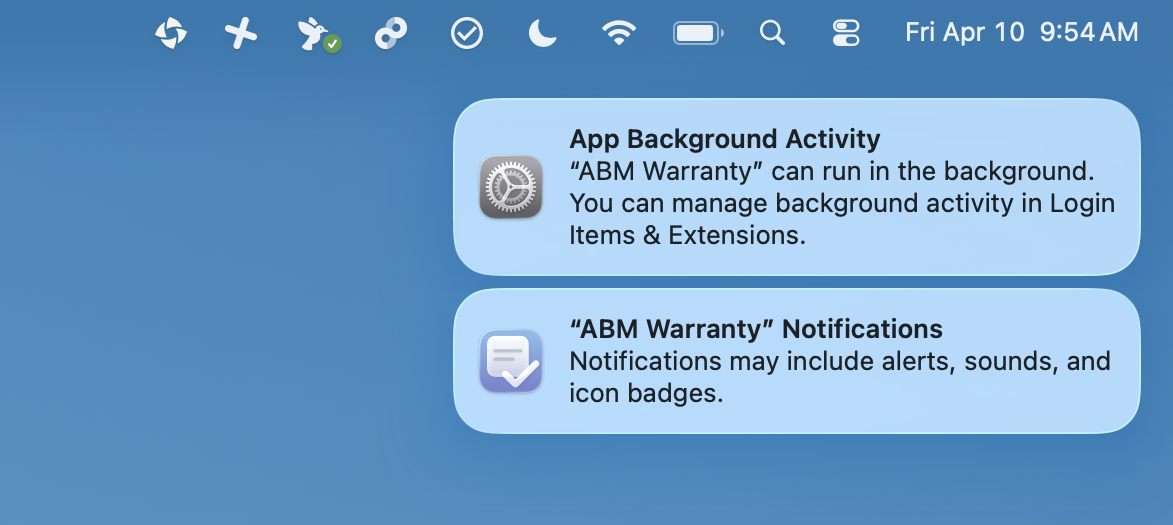
In version 0.5.0 we introduce a helper app inside the core app that manages notifications. These notifications are tenant aware, and can be fully managed by MDM preferences, or via the System Settings > Notifications area. You can set a frequency for the notifications, so that they fire as much or as little as you desire.
You can also silence notifications on specific records as well by clicking on a device record and choosing the mute notification button which puts the device into a new dashboard category where you can see all devices that have been muted. This is great if you know a device will forever be expired due to business preference.
CLI Agent
You can now interface with the ABM Warranty app in the command line! The binary is in the app itself so the first step is creating the alias.
ZSH ALIAS SETUP
  Add an alias so `abm-warranty` is available in new shells:

    echo 'abm-warranty() { "/Applications/ABM Warranty.app/Contents/MacOS/ABM Warranty" "$@"; }' >> ~/.zshrc
    source ~/.zshrc

  Example binary path:
    /Applications/ABM Warranty.app/Contents/MacOS/ABM Warranty
Once you have the alias setup you can call the app very simply.
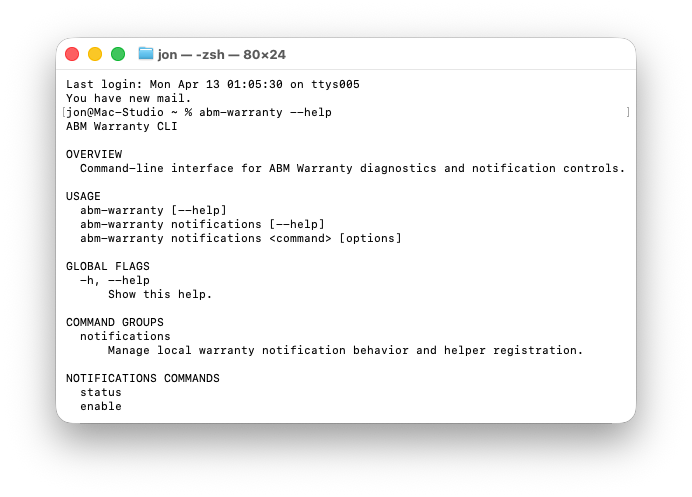
jon@Mac-Studio abmwarranty.com % abm-warranty --help
ABM Warranty CLI

OVERVIEW
  Command-line interface for ABM Warranty diagnostics, sync, and notification controls.

USAGE
  abm-warranty [--help]
  abm-warranty --man
  abm-warranty --list-tenants
  abm-warranty --chunk-size --tenant-id <TENANT_ID>
  abm-warranty --set-chunk-size <VALUE> --tenant-id <TENANT_ID>
  abm-warranty --set-enterprise-sync-support <on|off> --tenant-id <TENANT_ID>
  abm-warranty --show-jobs --tenant-id <TENANT_ID>
  abm-warranty --sync --tenant-id <TENANT_ID> --type <full|partial|single> [--serial <SERIAL>]
  abm-warranty notifications [--help]
  abm-warranty notifications <command> [options]

GLOBAL FLAGS
  -h, --help
      Show this help.

COMMAND GROUPS
  sync
      Headless tenant sync commands (full/partial/single) with CLI progress and cancel support.
  notifications
      Manage local warranty notification behavior and helper registration.

EXAMPLES
  abm-warranty --help
  abm-warranty --list-tenants
  abm-warranty --chunk-size --tenant-id BUSINESSAPI.xxxxxxxx-xxxx-xxxx-xxxx-xxxxxxxxxxxx
  abm-warranty --set-chunk-size 200 --tenant-id BUSINESSAPI.xxxxxxxx-xxxx-xxxx-xxxx-xxxxxxxxxxxx
  abm-warranty --enterprise-sync-support --tenant-id BUSINESSAPI.xxxxxxxx-xxxx-xxxx-xxxx-xxxxxxxxxxxx
  abm-warranty --set-enterprise-sync-support on --tenant-id BUSINESSAPI.xxxxxxxx-xxxx-xxxx-xxxx-xxxxxxxxxxxx
  abm-warranty --show-jobs --tenant-id BUSINESSAPI.xxxxxxxx-xxxx-xxxx-xxxx-xxxxxxxxxxxx
  abm-warranty --sync --tenant-id BUSINESSAPI.xxxxxxxx-xxxx-xxxx-xxxx-xxxxxxxxxxxx --type full
  abm-warranty connections --help
  abm-warranty connections list --tenant-id BUSINESSAPI.xxxxxxxx-xxxx-xxxx-xxxx-xxxxxxxxxxxx
  abm-warranty notifications --help
The CLI is as you can see is able to
- List available tenants and get their IDs
- Manage Notifications as well as run a fire-test
- Run sync’s from Apple Business API to your tenant database
- Set Enterprise Sync Support
- Show current run jobs
This unlocks so many scripting workflows that you can now run via the MDM of your choice which includes running a sync job on a regular basis via CLI command, viewing the status of running jobs and ability to configure preferences for the app itself.
Job Sync View & Chunking
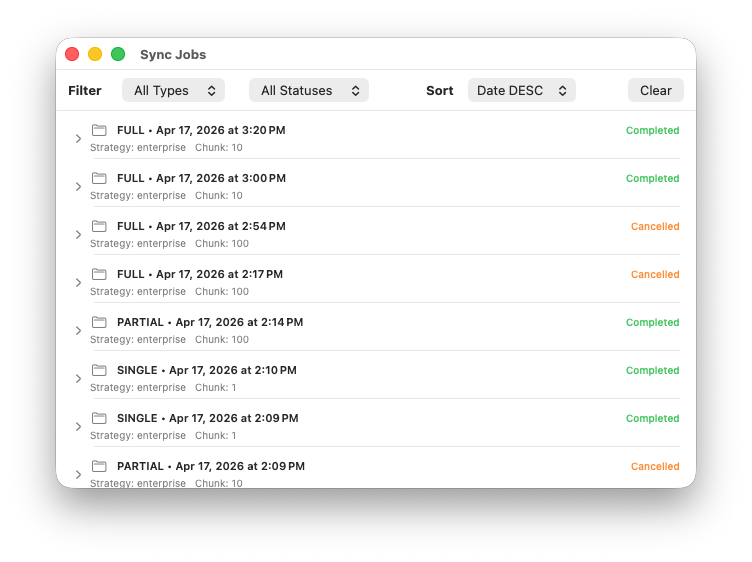
Now that we have a more robust method of syncing, we have unlocked 2 new visual ways to manage the Apple Business sync’s to your database. First we have provided a new Job Sync View that you can open any time to see historical runs for past and present syncs and then filter by job type, statuses and more.
This is available in the Window dropdown in the app or by clicking the arrow on any sync progress view in the detail area of the app during Apple Business API sync. Types are Single (a single device), Full (the entire database), and Partial (a retry of failed devices).
We also have a new preference where you can Set Sync Size in the settings. This is known as a “Chunk Size”. So by setting this to 10, or 50, you have total control over how many devices the app attempts to sync at any given time. For larger fleets this paired with the Enterprise Sync strategy offers much more control over sync challenges.
Why 0.5.0 is so impactful
Remember the goal of the app is to help organizations build a robust warranty management program internally, and for MSP’s and consultants to offer a program to their clients. These new features make it easier to quickly be notified in multiple ways of expiring devices so they an be actioned upon.
It offers more robust synchronization’s, and control over the management of settings both by MDM’s and in the new command line interface which offer consultancies ways to keep their inventory teams up to speed automatically now that we have unlocked scripting capabilities.
Version 0.5.0 also unlocks greater foundational stability with its database migration paths and sync type paths that are much more robust and stable.
Feature Recap
ABM Warranty 0.5.0 introduces:
- Ability to use Desktop Widgets per tenant
- Ability to set tenant aware notifications for expiring soon devices and needs attention devices
- Included CLI that supports notification management and sync management
- New Jobs chunking and sync history view to manage prior API sync’s with ABM/ASM
- Enterprise sync mode for users with large fleet sizes in ABM/ASM
- Ability to rotate API credentials from ABM/ASM great for companies that require key rotation. Works in MDM based deployments and local.
- Mute notifications for devices that you know will never be renewed for Applecare.
- Database migration paths for the smooth addition of future database changes.
- Localization into 10 languages for broader support internationally.
- Tenant aware desktop widgets that allow you and your team to see the status of your fleet at a glance.
- Bug Fixes
Other Resources
- Updated Guide
- Live Public Beta
- Warranty Support GPT
- Mac Admins Slack - #abm-warranty channel
- ABM Warranty Utilities for structured supporting workflows around multi-context administration
- ABM Credential Packager guide for packaging and preparing credentials for repeatable deployment

Support Indie Development
These apps are built in my free time.
I build and maintain these tools as an indie developer outside of client work and day-to-day responsibilities. If you find these apps useful and want to help fund continued development, updates, support, and new releases, you can sponsor the work directly.
Monthly support helps me keep shipping improvements, maintain compatibility, and invest more time into building practical software for the Apple admin and consultant community.
Looking Ahead to 0.5.1
The next beta will drop on Monday April 27th, 2026 and will be focused on the integration with outbound connections. Outbound connections will be mappable to credentials so you can connect a JAMF connection for example and a connection to your outbound inventory system. Both connections will map to credentials you wish to sync to those destinations.
You will be able to set the sync order for those connections at the credential level and they will respect the path types of Full (Full sync) and a Single (Single record sync). Outbound sync jobs will gain its own view for the management of these connection based jobs. You will be able to run outbound syncs via the CLI as well and manage the for scripting.
These new connections will allow you to sync from the default database or to sync from the API live. So for example if you want to sync the Apple Business API live to the JAMF API you an do so by choosing the source of the connection accordingly (Database or Live API). We will introduce connection builders which is an API explorer GUI that allows you to enter authentication credentials for a connection type and build and map the device and computer record update paths and fetch path. You can then map the purchase data that you wish to sync from the app itself to the connection you built.
Finally 0.5.1 unlocks full reporting of all information from the Apple API so its no longer going to only show warranty information, it will report on all data from the Apple Business API directly in the app itself. If you are interested in keeping your MDM or Inventory system up-to date with warranty information for your company or your clients please test out this beta release.
We are planning to start charging for more advanced features of the app, for companies that can afford it or for MSP’s and consultants that offer it as a value add service or SKU to their clients. Here’s how it will work. We will limit the number of connections and tenants to 2 for free. ALL features will remain free, this includes the JAMF Sync and API builders. For companies that manage multiple company accounts, greater than 2, we simply ask that you pay to help us continue to offer the features to the wider Mac Admins community, the fee will be a $29.99/mo subscription to unlock unlimited connections and tenants which boils down to a dollar a day to help pay for coding overhead.
Our commitment is to continue to keep all features of the app for free, additional paid MSP features like client reporting will follow and be unlocked for subscription holders but core functionality will never be pay-walled. This monetization effort is not planned until 0.6.0 upon which time the free version for users who have 1-2 tenants and 1-2 connections will remain 100% free for all features.
In addition you can become a sponsor of the app, we will feature you on future announcements (Blog, Website, LinkedIn), and furnish you with an unlock bypass code so you will be able to use the unlimited version of the app across as many endpoints as you wish to use the app on.
AI Usage Transparency Report
AI Era · Written during widespread use of AI tools
AI Signal Composition
Score: 0.35 · Moderate AI Influence
Summary
ABM Warranty 0.5.0 release notes