
Security
Security
ABM Warranty is designed for operational trust in Apple IT environments. We focus on secure-by-default workflows, controlled data handling, and practical safeguards that support enterprise and education fleet management.
Security disclosure
ABM Warranty Security Disclosure (Terms of Service Style)
Effective Date: March 20, 2026
This Security Disclosure is written to explain, in plain language, how ABM Warranty protects data and credentials in the current shipping architecture. When we use technical terms, we define them. Where a control is not implemented, we say that clearly.
Security of Apple ABM/ASM API Access
ABM Warranty connects to Apple services using the same trust model Apple requires for Apple Business and Apple School Manager (ASM): OAuth 2.0 (Open Authorization 2.0), signed JSON Web Tokens (JWTs), and HTTPS (encrypted web transport). In practice, the app first signs a short-lived JWT assertion with an ES256 signature (Elliptic Curve Digital Signature Algorithm using the P-256 curve and SHA-256 hash), sends that assertion to Apple’s OAuth token endpoint, and receives a bearer token. That bearer token is then used for read operations against Apple’s ABM/ASM API endpoints.
All of that traffic is sent over TLS (Transport Layer Security) through Apple’s standard URLSession trust chain. The app includes retry and backoff handling for rate-limits and transient server/network conditions, and it supports cancellation and bounded paging so API calls do not run uncontrolled. The app’s HTTP behavior in this app codebase is limited to POST for token exchange and GET for device/coverage retrieval.
For transparency: certificate pinning is not implemented in the current code. The app relies on Apple platform trust validation rather than custom pinning logic.
Credential Storage in macOS Keychain
Credential identity data is stored in the macOS Keychain, which is Apple’s system credential vault designed for secrets and security-sensitive records. ABM Warranty stores credentials as generic password items, one record per credential identity, under a fixed service namespace. This design avoids a single giant blob and makes replacement/removal operations explicit and auditable.
The stored credential object includes tenant identity metadata (for example Client ID and Key ID), scope (business or school), and a bookmark reference to the key file. Keychain remains the authoritative source for credential identity state, and the app reloads from Keychain after changes so in-memory state follows what was actually persisted.
Keychain is treated as the source of truth for credential identity state rather than a general-purpose settings store.
Database Security in the Sandbox
ABM Warranty uses SQLite for device and coverage records, but it does so inside the macOS App Sandbox. “Sandboxed” means the app is not free to read or write anywhere on your Mac by default. Instead, the operating system puts the app inside a controlled container and requires explicit permission boundaries for file access, inter-process sharing, and network behavior.
Within that sandbox, ABM Warranty writes tenant databases under Application Support and uses a per-tenant file model (devices-<credentialID>.sqlite3).
This is a deliberate separation control: each tenant’s records are stored in its own database file rather than a shared multi-tenant table.
For transparency: the current code does not add a second app-layer database encryption product on top of SQLite. Security at rest therefore depends on the sandbox boundary, account/device protections, and platform disk protections provided by macOS.
Private Key Placement and Why Keys Are Not Embedded in Credential Identity Fields
The private key material is intentionally separated from credential identity metadata. ABM Warranty stores a bookmark reference (security-scoped bookmark) in credential records, while the key file itself is kept as a file in the app-controlled Keys directory under Application Support.
That separation matters. It means identity metadata can be managed through Keychain while key file handling remains explicit and file-scoped. At runtime, the app resolves the bookmark and requests scoped access to the key file only when needed for signing operations.
The app does not treat private key material as a standard form field value. Credential identity and key material are intentionally managed as separate concerns.
Encryption of Managed Preferences for MDM Deployment
For managed deployment through MDM (Mobile Device Management), ABM Warranty supports encrypted key payload import. Managed payloads include encrypted key bytes plus the cryptographic materials needed to decrypt locally (salt and nonce). The app derives a symmetric key using HKDF-SHA256 (HMAC-based Key Derivation Function with SHA-256) and decrypts using AES-GCM (Advanced Encryption Standard in Galois/Counter Mode), which provides both confidentiality and integrity checks.
Operationally, decryption happens on-device after user passphrase entry. If authentication checks fail, decryption fails. That is the expected secure behavior. The managed flow is visible in app state and not a hidden background mutation path.
Managed key transport is encrypted and authenticated, and decryption is performed locally on-device rather than through a vendor-hosted decryption service.
Managed Credential Packager Security Chain (From Packaging to App Import)
ABM Warranty’s managed-credential flow is designed as a two-part security model: credentials are encrypted before they ever reach MDM deployment payloads, and they are
decrypted only inside the app after an interactive user unlock step. The packager tool (abm_managed_creds_packager.py) reads credential metadata from CSV and
reads PEM key bytes from local files, then encrypts each PEM using AES-256-GCM (Advanced Encryption Standard, 256-bit key, Galois/Counter Mode). The encryption key is not
stored in the payload. Instead, it is derived from a passphrase using HKDF-SHA256 (HMAC-based Key Derivation Function with SHA-256), which is exactly the same derivation model
used by the app during import.
The packager uses one passphrase per run, but still generates a unique random salt (16 bytes) and nonce (12 bytes) for each credential entry. That means each encrypted PEM is
cryptographically distinct even when produced in the same batch. The generated managed payload stores only encrypted material and parameters required for decryption
(encryptedPEM, pemSalt, pemNonce) alongside identity metadata (id, name, scope, clientId,
keyId). In deployment terms, this is written to ManagedABMCredentials in managed preferences (plist or mobileconfig), commonly delivered through
MDM-managed profile infrastructure.
On the app side, ABM Warranty detects ManagedABMCredentials, queues managed credentials, and presents a user-facing unlock/import flow. Before import, the app
validates the passphrase by attempting authenticated decryption. If decryption fails, import is blocked. If decryption succeeds, the PEM is written into the app’s controlled
Keys directory, converted to PKCS#8 when needed, and then attached to the credential through a security-scoped bookmark saved in Keychain-backed credential records. Managed
preferences carry encrypted transport payloads, and the usable key reference is established only after successful local decryption and explicit user action.
From a security-posture perspective, this reduces exposure in transit and at-rest inside deployment artifacts: the private key is not distributed as plaintext in the managed payload, the passphrase is never embedded in that payload, and import is not silent. The remaining operational risk is centered on passphrase handling and endpoint hygiene at packaging time (for example, where the CSV/PEM source files are handled), which is why the tooling recommends environment-variable passphrase input instead of command-line literals.
Tenant Isolation and Non-Intermixing of Tenant Data
ABM Warranty enforces a one-credential-to-one-tenant mapping and a one-tenant-to-one-database mapping. Tenant activation is explicit, and active tenant context controls which store and cache are loaded in memory. When tenant context changes, previous tenant runtime state is torn down before new context is used.
This architecture is designed to prevent accidental cross-tenant record blending. It also blocks duplicate credential identity insertion for the same tenant Client ID, which reduces identity collision risk.
Tenant inventory data is intentionally isolated so one tenant’s records are not merged into another tenant’s database.
Data Collection Posture
ABM Warranty processes ABM/ASM data locally to provide warranty and inventory functionality, but the current app codebase does not include a third-party analytics SDK pipeline (for example Firebase Analytics, Mixpanel, Amplitude, Sentry, or Crashlytics ingestion paths). Network calls are focused on Apple OAuth and Apple ABM/ASM API operations required for product behavior.
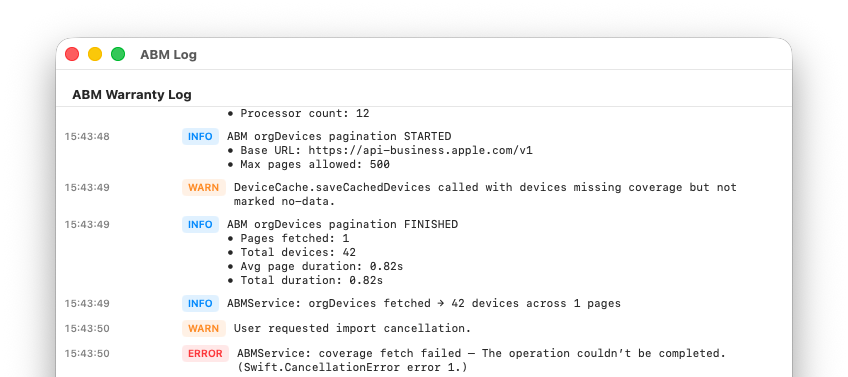
The app does maintain local logs and local device data persistence for operational and support use. Those are local diagnostic/data functions, not a separate telemetry export service to a vendor backend implemented in this app codebase.
ABM/ASM data is used for local app operation, and this architecture does not implement a built-in external analytics collection pipeline.
Desktop Widgets and Sandbox-Entitlement-Based Data Sharing
The widget extension and the main app share data through an App Group container. An App Group is an Apple-controlled sharing boundary that allows only specifically entitled apps/extensions from the same signed team to read/write shared container data. ABM Warranty uses this to publish a snapshot for widgets.
The widget reads summary snapshot data (counts, tenant label, and selected device display rows) from shared UserDefaults under that App Group. The extension itself is sandboxed and, in current build settings, has outgoing network connections disabled. That means widget content comes from the shared snapshot pipeline, not direct API calls from the widget process.
Widget data sharing is controlled by Apple entitlements and limited to the explicitly authorized app/widget pair.
App Hardening and Entitlements Explained
An entitlement is a signed permission claim in a macOS app’s code signature. You can think of it as a capability contract between the app and the operating system: what this app is allowed to do, and what it is not allowed to do.
ABM Warranty’s hardened posture combines entitlements with restrictive target settings. The app enables App Sandbox and Hardened Runtime, disallows incoming network connections, and disables unnecessary hardware/resource capabilities (camera, location, contacts, microphone/audio input, Bluetooth, USB, calendars, printing). The widget target is further restricted with no outgoing network access. The App Group entitlement is present to permit only the specific app-widget data bridge.
Why this improves security: each disabled capability removes attack surface. Each entitlement is a narrow, auditable allowance rather than an unrestricted permission model.
Security Transparency Commitment
This disclosure reflects the code and entitlement posture in this app as of March 20, 2026. We do not claim controls that are not present. Where controls are platform-default (for example TLS trust validation) rather than custom-enhanced (for example certificate pinning), that distinction is disclosed above.
FAQ
Common questions
How does the app authenticate with Apple Business?
ABM Warranty uses Apple’s official OAuth 2.0 client flow. You create an EC P-256 private key in Apple Business, then enter the required identifiers in the app. Credentials are stored locally on your Mac and are not sent to third-party services.
Is this safe to use in large environments?
Yes. The app is designed for large organizations and includes pagination safeguards, serialized coverage requests, retry handling, and protections for malformed or partial ABM API responses.
Does the app modify any data in Apple Business?
No. ABM Warranty is focused on reading and reporting warranty data; it does not modify device records or coverage settings in ABM.
What happens if some devices fail to load or return errors?
Individual device failures do not stop the overall import. Errors are captured so the app can continue processing remaining devices and you can review failed items later.
Can I export warranty and coverage data?
Yes. You can export warranty and AppleCare+ coverage data to CSV for audits, lifecycle planning, budgeting, and internal tooling.
How do I use managed preferences?
Managed preferences allow you to deploy and enforce configuration for ABM Warranty using your MDM, removing the need for manual setup on each device. This is especially useful in enterprise and MSP environments where consistency and control matter.
To use managed preferences, you define the required keys (such as API credentials, certificates, or feature flags) in a configuration profile and deploy it via your MDM solution (e.g., Jamf, Kandji, Mosyle). Once applied, ABM Warranty will automatically detect these managed settings at launch and treat them as authoritative.
If managed preferences are present, the app respects them as read-only. Users cannot override or modify these values locally, ensuring that credentials and configuration remain consistent across all deployed machines.
This approach is ideal for standardized environments where administrators want to centrally control how ABM Warranty is configured and used.
Source: Managed Preferences.
How do I use managed credentials?
Managed credentials are designed for environments where API access should be centrally controlled and not manually entered by end users.
Instead of adding credentials directly within the app, administrators can deploy them via managed preferences (MDM). Once deployed, ABM Warranty will automatically load and validate these credentials on startup.
Managed credentials are clearly distinguished from manually added credentials within the app. They cannot be edited or deleted by the user, which prevents accidental changes or credential drift.
This is particularly useful for MSPs managing multiple tenants, organizations with strict access controls, and environments where credential rotation and auditing are required.
The app will use these managed credentials just like local ones, but with added safety and enforcement from the management layer.
Source: Multiple Credentials.
How do I use the ABM Credential Packager?
The ABM Credential Packager is used to prepare your Apple Business API credentials for deployment via MDM.
Instead of manually distributing raw API keys and certificates, the packager bundles them into a format that can be securely embedded into a configuration profile.
The general workflow is:
1. Export your ABM API key and certificate from Apple Business
2. Use the Credential Packager tool to convert certificates into the required format and bundle credentials into a structured payload
3. Insert the packaged output into your MDM configuration profile
4. Deploy the profile to target devices
Once deployed, ABM Warranty will automatically detect and use these credentials as managed credentials, requiring no user interaction.
This process ensures secure handling of sensitive credentials, consistent deployment across devices, and compatibility with managed preferences. It is the recommended approach for organizations deploying ABM Warranty at scale.